Canon PIXMA MegaTank G3270
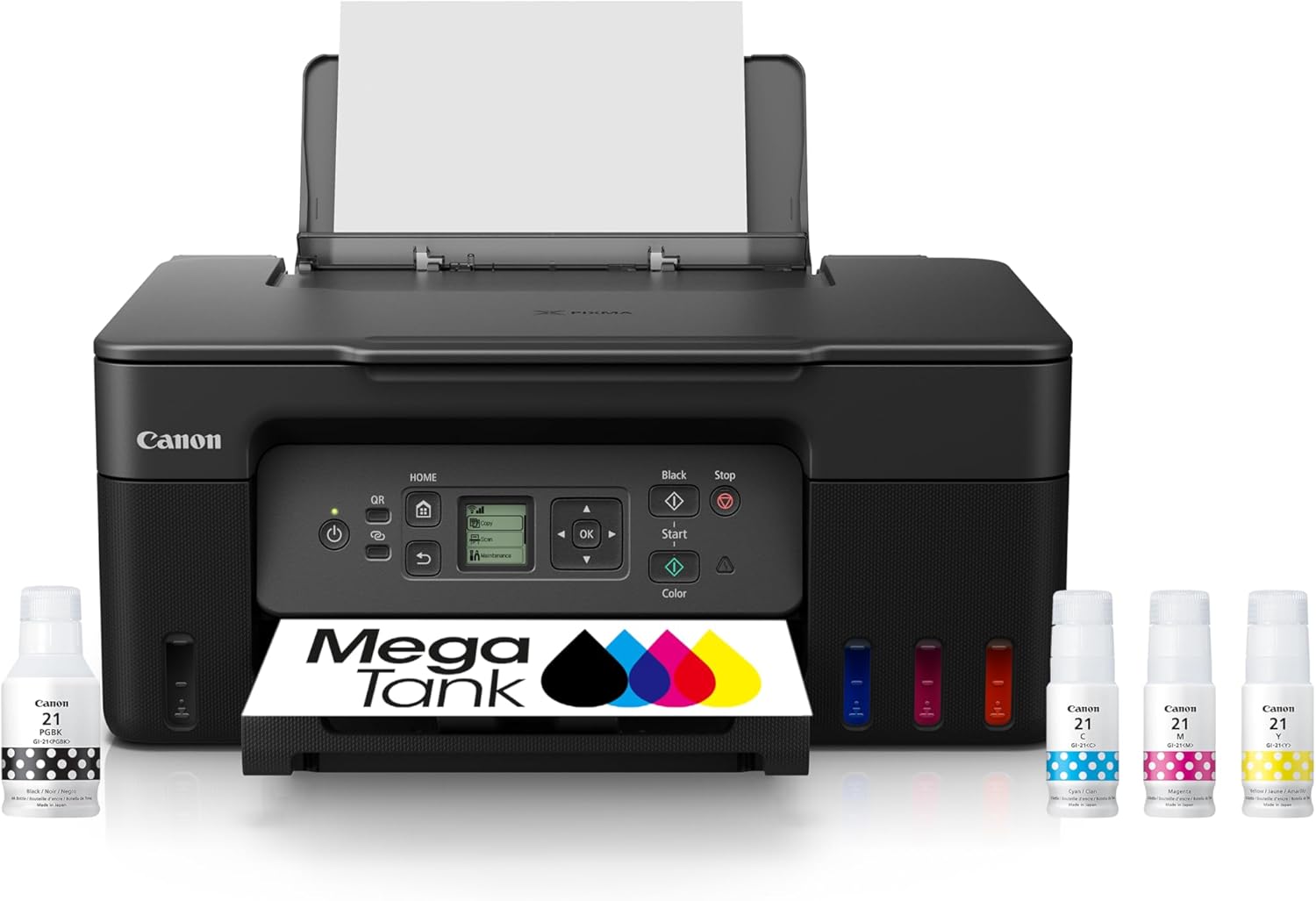
The PIXMA MegaTank G3270 is our Best Value pick — the cheapest way to get true refillable-tank running costs. It fills from Canon’s GI-21 bottles instead of cartridges, prints a black page for around four-tenths of a cent, and ships with roughly two years of ink in the box, so it’s close to free to run for a long time. A pigment black keeps text crisp. The catch is that it’s bare-bones: it prints, scans, and copies, but there’s no document feeder, no fax, no Ethernet, and — notably — no automatic two-sided printing. If you want the lowest cost-per-page at the lowest entry price and don’t need office frills, nothing here beats it.
How We Scored It
Category Deep-Dives
Running Cost / Cost-Per-Page
9.5 / 10 25% weightingThis is where the G3270 shines and why it’s our Best Value pick. It fills from Canon’s inexpensive GI-21 ink bottles, and the result is a running cost among the very lowest in our guide: about 0.40 cents per black page and just under a cent for a color page. A single set of bottles is rated for roughly 6,000 black or 7,700 color pages, so refills are rare. As with all supply costs, prices move over time, so verify before buying.
What makes this remarkable is that it delivers that class-leading cost-per-page at the lowest entry price of any tank printer here — and Canon includes about two years of ink in the box on top. For a shopper whose priority is spending as little as possible on both the printer and the ink, that combination is unbeatable, and it’s the entire reason to buy this machine.
Bottom line on running cost: Among the lowest cost-per-page in the guide, at the lowest entry price, with about two years of ink included. A near-perfect score and the printer’s whole reason for being.
Print Quality
8.5 / 10 20% weightingThe G3270 punches above its budget billing on quality thanks to a hybrid ink system: a pigment black for documents, paired with dye-based colors for graphics and photos. The pigment black is the key — it produces crisp, dark, smudge-resistant text that looks close to laser output, which is exactly what you want from an office printer, and a cut above the dye-only blacks some budget inkjets use.
Color and photo output, at up to 4800 × 1200 dpi, is good for the class — perfectly respectable for charts, presentations, and casual photos, if not the gallery-grade work of the six-color EcoTank Photo. For the documents that dominate home-office printing, the quality here genuinely belies the price.
Bottom line on print quality: A pigment black delivers sharp, laser-like text that outclasses the price, with solid color for everyday graphics. Excellent document quality for a budget tank.
Speed & Paper Handling
6.0 / 10 15% weightingHere the budget positioning shows. The G3270 is rated at about 11 pages per minute in black and 6 in color — noticeably slower than the mid-range office tanks, and a long way behind a laser. More significant is that there’s no automatic two-sided printing. Canon’s driver does offer a manual 2-sided mode that prints one side, then prompts you to reload the stack — workable for the occasional double-sided document, but you are handling the paper yourself every time.
Paper handling is basic to match: a 100-sheet rear tray, no automatic document feeder (so copies and scans are one flatbed page at a time), though it does accept long media up to about 8.5 by 47 inches for banners. For a light-duty home printer this is livable, but if you print in volume or do a lot of two-sided work, the lack of automatic duplex and an ADF is the trade you’re making for the low price.
Bottom line on speed & paper handling: Slow by inkjet standards, no automatic duplex (manual only, via the driver), and no document feeder. Fine for light-duty printing; a real limitation if you print volume or double-sided.
Features & Connectivity
5.5 / 10 15% weightingThe G3270 is deliberately stripped down, and this is its lowest score. It covers the essentials — print, scan, and copy — but leaves off much of what a fuller office all-in-one includes: there’s no automatic document feeder, no fax, and no Ethernet, and the control panel is a small 1.35-inch monochrome LCD rather than a color touchscreen. Connectivity comes down to Wi-Fi and USB plus Canon’s mobile printing app.
None of that is a flaw so much as a set of deliberate omissions to hit the price — Canon put the money into the tank system and left out the office extras. If you need to batch-scan documents, send faxes, or wire the printer into a network, this isn’t the model; the step-up tanks add those. If you just need to print, scan, and copy cheaply, the short feature list won’t bother you.
Bottom line on features & connectivity: Just the essentials — print, scan, copy over Wi-Fi or USB. No ADF, fax, Ethernet, or touchscreen. A deliberate trade for the low price, and the printer’s weakest area.
Consumable Freedom & Reliability
9.0 / 10 15% weightingAs a refillable-tank printer, the G3270 is filled from Canon GI-21 bottles rather than cartridges, so there’s no per-cartridge replacement cycle and no chip to authenticate — supply flexibility is high, which is the foundation of its low running cost. This is the dimension our framework scores separately from the headline cost figure, and a bottle-fed tank sits at the top of it.
On reliability, Canon’s MegaTank line is well established alongside Epson’s EcoTank as one of the two proven names in refillable-tank printing, and the G-series has a solid track record as dependable, no-drama hardware. As with any inkjet, printing something occasionally keeps the head healthy. It carries a one-year limited warranty, standard for the category.
Bottom line on consumable freedom & reliability: Bottle-fed tanks mean no cartridge lock-in and durable low costs, backed by Canon MegaTank’s proven reliability. Top of the class on supply flexibility.
Value & Warranty
8.5 / 10 10% weightingValue is the G3270’s whole thesis, and it earns the score. It’s the least expensive way into refillable-tank printing — the lowest entry price among the tanks in our guide — and Canon bundles roughly two years of ink with it, so the real cost of getting started and running it for the first couple of years is exceptionally low. For a budget-focused home office, the math is hard to argue with.
It carries a one-year limited warranty, standard for the class. The trade you accept for this value is the thin feature set — no duplex, ADF, or fax — so it’s the right pick specifically for someone who wants rock-bottom cost and doesn’t need the frills. For those buyers, it’s the best value in the category.
Bottom line on value & warranty: The cheapest route to tank-level running costs, with about two years of ink included. Unbeatable value if you don’t need the office extras. Standard one-year warranty.
About the Manufacturer
Canon is one of the four major printer manufacturers, with a lineup that spans cartridge inkjets, color laser all-in-ones, and — in the PIXMA MegaTank G-series — refillable ink-tank printers. MegaTank is Canon’s answer to the supertank category, replacing cartridges with high-capacity tanks refilled from GI-series bottles, and it’s one of the two most established names in refillable-tank printing alongside Epson’s EcoTank.
The G3270 sits at the affordable end of that range. Canon pairs the tank system with a hybrid pigment-plus-dye ink set for sharp text, and includes about two years of ink in the box — the emphasis is squarely on low cost of ownership rather than office features.
For a buyer who wants Canon’s proven MegaTank economics at the lowest possible price, the G3270 is the entry point — and our Best Value pick across the whole printer guide.