HP LaserJet Pro MFP 4101fdw
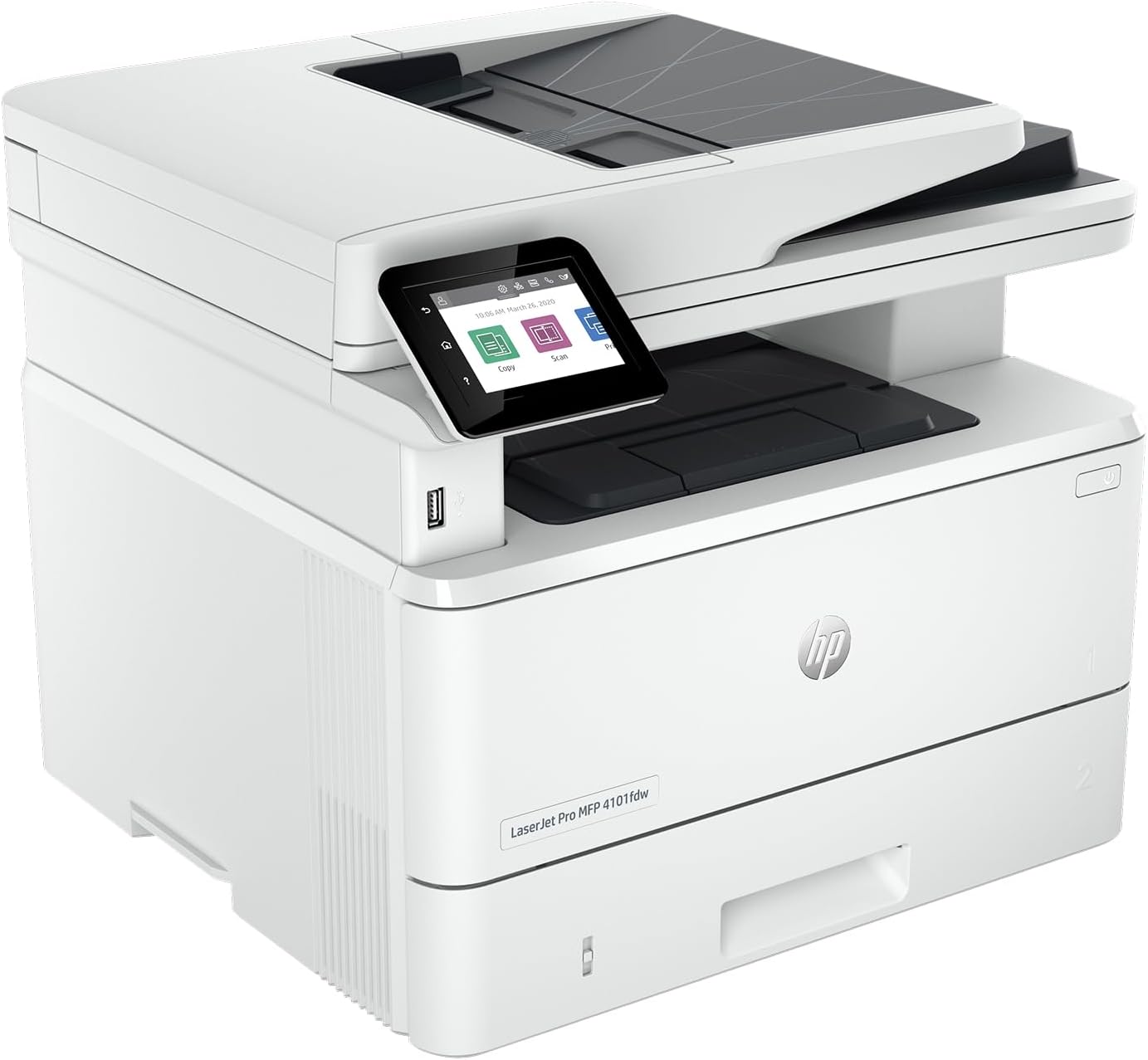
The LaserJet Pro MFP 4101fdw is the fastest printer in our entire guide at up to 42 pages per minute, and fractionally the cheapest mono laser to run. It prints, scans, copies, and faxes; the 50-sheet feeder scans both sides in one pass; and a high-yield toner rated for 9,500 pages brings the cost per page to about three cents. It leads its tier on quality and speed, and edges it on running cost — but only by about a fifth of a cent, which isn’t enough to offset its limited supply flexibility and premium price (both detailed below). That is what puts it second to the Brother MFC-L2900DW.
How We Scored It
Category Deep-Dives
Running Cost / Cost-Per-Page
7.0 / 10 25% weightingRunning cost is where the 4101fdw pulls ahead of the other mono lasers. On HP’s standard 148A toner a black page runs about 4.86 cents, and the high-yield 148X — rated for a substantial 9,500 pages — drops that to roughly 2.97 cents for higher-volume users. That big high-yield cartridge is a real advantage for an office that prints a lot: fewer cartridge changes and a genuinely low cost per page.
It is marginally the cheapest mono laser here to run, but the margin is slim: the Brother machines cost about 5.08 cents on standard toner and 3.28 on high-yield, roughly a fifth of a cent more either way. That is close enough to call the two level on running cost, which is why the Brother’s lower price and longer warranty win the tier. The sensible way to buy for this machine is the 148X high-yield toner. As always, verify current supply prices before purchasing.
Bottom line on running cost: Fractionally the lowest cost per page of any mono laser here — about 4.86 cents standard, roughly 2.97 cents on the 9,500-page high-yield toner — but only about a fifth of a cent ahead of the Brothers.
Print Quality
8.5 / 10 20% weightingThe 4101fdw produces crisp, sharp, professional black text — HP’s LaserJet line has long set a high bar here, and this model holds it. Documents, letters, contracts, and reports come out clean and consistent, and laser output is smudge- and water-resistant the moment it lands in the tray. It’s among the best text quality in our guide.
Like any monochrome laser, it’s black-and-white only — no color graphics or photos — which is the single reason its print-quality score isn’t higher still. On the text it’s built for, though, output is first-rate, and its scanner captures documents cleanly for archiving and copying. For a text-driven office, quality is a strength.
Bottom line on print quality: Excellent, crisp, durable black text — among the best in the guide. Monochrome only, which is the sole cap on the score.
Speed & Paper Handling
9.0 / 10 15% weightingThis is the 4101fdw’s signature strength and the highest speed score in our guide. It prints at up to 42 pages per minute — the fastest printer we review — with a quick first page out of a warm start. If your office regularly prints long documents, nothing here clears a stack faster.
Paper handling is equally strong: automatic two-sided printing, a 50-sheet single-pass duplex ADF for fast two-sided copying and scanning, and generous input — a 250-sheet main tray plus a 100-sheet multipurpose tray, so you can keep letterhead and plain paper loaded at once. It’s built to keep up with real workloads without constant reloading.
Bottom line on speed & paper handling: The fastest printer in our guide at 42 ppm, with a single-pass duplex ADF and 350 sheets of combined input. Built for volume.
Features & Connectivity
9.0 / 10 15% weightingThe 4101fdw is a complete, polished office all-in-one. It prints, scans, copies, and faxes, with a 2.7-inch color touchscreen, the single-pass duplex ADF, and dual-tray input. Connectivity covers everything a home office needs — Wi-Fi, Ethernet, and USB — plus HP’s well-developed mobile and app printing, so it works as a personal or shared networked machine equally well.
The experience is a step above the budget machines in our guide: the interface is refined, setup is smooth, and the hardware feels built for daily business use. For a text-focused office that wants a fast, capable, no-compromise document hub, the feature set leaves little wanting apart from color, which it isn’t intended to provide.
Bottom line on features & connectivity: A refined, complete all-in-one — print, scan, copy, fax, touchscreen, duplex ADF, dual-tray input — with Wi-Fi, Ethernet, and USB. Very well equipped.
Consumable Freedom & Reliability
6.0 / 10 15% weightingThe 4101fdw takes standard HP 148A toner and the high-yield 148X, and third-party and remanufactured 148-series toner is available. On reliability it’s dependable, low-maintenance laser hardware built for daily business use, with laser’s inherent no-clog advantage over inkjet.
What lowers its score in this category is a documented, HP-specific supply consideration: HP printers use a firmware feature HP calls Dynamic Security that can prevent the use of non-HP cartridges on models made after December 1, 2016 — and that includes this printer’s toner. In practice, a firmware update can cause the printer to reject a non-HP chip, so buyers who plan to use third-party toner should be aware of it and manage firmware updates accordingly. This is the reason the 4101fdw’s supply-flexibility score sits below the Brother mono lasers; it reflects a documented practice, not our editorializing, and it affects this sub-score only — not the printer’s quality, speed, or feature scores.
Bottom line on consumable freedom & reliability: Dependable, fast laser hardware with a big high-yield toner, but supply flexibility is limited for third-party-toner users (see above) — the documented reason its score trails the Brother mono lasers.
Value & Warranty
7.0 / 10 10% weightingThe 4101fdw carries a premium price for a monochrome laser, reflecting its speed and business-grade build. For an office that will actually use 42-ppm throughput and the big high-yield toner, that premium buys real capability and pays back through fast, efficient printing. For lighter-duty use, a cheaper mono laser delivers most of the everyday experience for less.
It carries a 1-year limited warranty, standard for the category. Weigh it against the Brother mono lasers, which are the alternative here: the Brother is cheaper to buy and offers more supply flexibility, while the 4101fdw is faster, more refined, and — with its 9,500-page high-yield toner — actually cheaper per page. If your priority is the lowest running cost and highest throughput, and you’re comfortable in HP’s toner ecosystem, the 4101fdw earns its premium; if it’s supply freedom or a lower upfront price, the Brother is the better fit.
Bottom line on value & warranty: A premium purchase price offset by the lowest running cost and highest speed in the tier. Worth it for a high-volume office; the Brother is the value alternative if you want supply freedom or a cheaper machine. Standard one-year warranty.
About the Manufacturer
Jet
HP Inc. is one of the four major printer manufacturers and fields the broadest lineup of any of them, spanning cartridge inkjets, refillable Smart Tank models, and its long-running LaserJet line — the name that arguably defined the office laser printer. The LaserJet Pro range targets small offices and workgroups that want fast, dependable, business-grade printing.
The MFP 4101fdw is a fast monochrome laser all-in-one in that range — print, scan, copy, fax, single-pass duplex scanning, and dual-tray input — built around HP’s 148-series toner with a high-capacity 9,500-page option. HP’s hardware and software are polished and widely supported, which is a big part of the LaserJet appeal.
For a buyer who wants the fastest, most refined monochrome laser all-in-one and is comfortable in HP’s toner ecosystem, it’s a strong, well-supported choice — see our Consumable Freedom section above for the supply-flexibility considerations that factor into its score.