Canon imageCLASS MF656Cdw
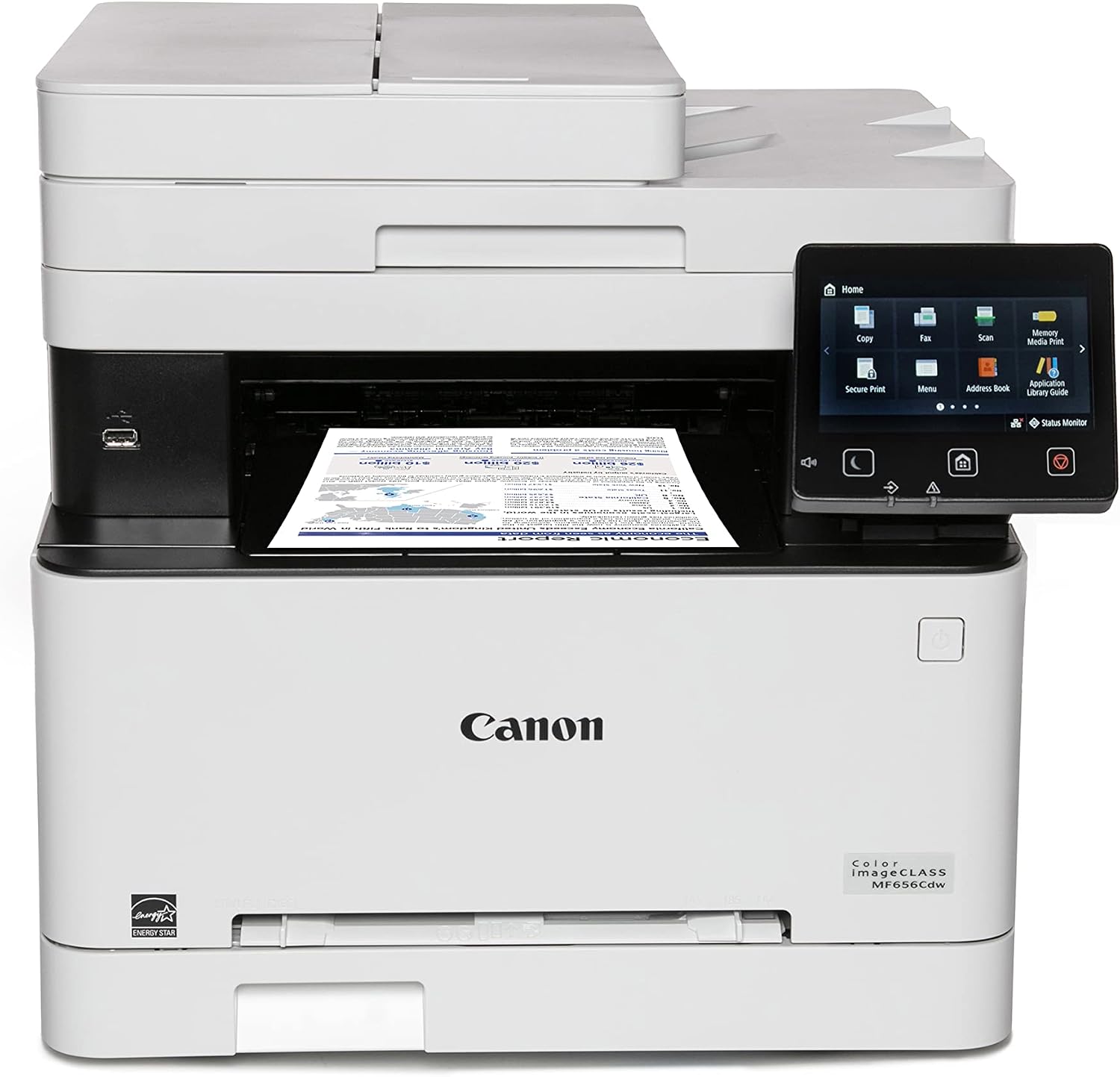
The imageCLASS MF656Cdw is a strong color laser for anyone who wants fast, crisp color documents without the maintenance of an inkjet. It prints black and color at the same 22 pages per minute, and it carries the longest warranty in its tier at three years. On our recalculated cost-per-page figures it sits second of the three color lasers, behind the Brother MFC-L3780CDW. It’s a complete office machine, too: a 5-inch touchscreen, a 50-sheet feeder that scans both sides in one pass, fax, and both Wi-Fi and Ethernet. Color pages still cost far more than an ink tank’s, so this is the printer for speed, durability, and volume color — not for the lowest running cost. A rare three-year warranty sweetens the deal.
How We Scored It
Category Deep-Dives
Running Cost / Cost-Per-Page
7.0 / 10 25% weightingRunning cost is the reason a color laser scores below an ink tank on our framework. Using Canon’s genuine standard 067 toner, the MF656Cdw prints a black page for about 5.85 cents and a color page for roughly 28.65 cents. In absolute terms that color figure is expensive — an ink tank prints color for a fraction of it — which is why this category earns an amber score. Within its tier it sits in the middle: cheaper than the HP 3301fdw, dearer than the Brother MFC-L3780CDW. Moving up to the high-capacity 067H toner drops it to about 3.83 cents black and 19.66 cents color, which is the sensible way to buy for this machine.
The honest framing: don’t buy a color laser to save money on ink. Buy one for fast, smudge-proof color documents at volume — and if running cost is what decides it between color lasers, the Brother is now the cheaper machine to feed. As with all supply figures, prices change over time, so verify before purchase.
Bottom line on running cost: Expensive per color page next to an ink tank — that’s the nature of color laser — but the lowest running cost in its own tier, and lower still on high-yield toner.
Print Quality
8.5 / 10 20% weightingLaser is at its best on documents, and the MF656Cdw delivers. Text is crisp and consistent, and because laser output is toner fused to the page rather than liquid ink, it’s smudge- and water-resistant the instant it lands in the tray — a real advantage for business documents that get handled, filed, and mailed. Color graphics, charts, and presentations come out clean, saturated, and uniform page after page.
What a color laser won’t do is match a photo inkjet on glossy photographs — laser color is built for business graphics, not gallery prints, and if photos are your priority the six-color EcoTank Photo is the tool instead. For the client-facing documents, marketing collateral, and reports a color laser exists to produce, the quality here is excellent.
Bottom line on print quality: Crisp, durable, smudge-proof text and clean, consistent business color. Not a photo printer, but excellent for the professional documents a color laser is built for.
Speed & Paper Handling
7.5 / 10 15% weightingThe MF656Cdw prints at 22 pages per minute in both black and color — and that “in both” matters. Unlike an inkjet, which slows down markedly for color, a color laser runs color pages at the same speed as black, so a mixed stack of documents and graphics comes out at full pace. First page lands quickly from a warm start, which suits the short, frequent jobs a home office actually prints.
Paper handling is solid: automatic two-sided printing, a 50-sheet document feeder that scans both sides in a single pass, and a 250-sheet main tray. The single-pass duplex ADF in particular is a genuine time-saver for copying and scanning multi-page, double-sided documents — a feature the budget printers in our guide simply don’t have.
Bottom line on speed & paper handling: 22 ppm in color as well as black, plus a single-pass duplex ADF and auto-duplex printing. Fast and capable for everyday office volume.
Features & Connectivity
8.0 / 10 15% weightingThis is a fully-equipped office all-in-one. It prints, scans, copies, and faxes, driven by a large 5-inch color touchscreen that makes walk-up operation straightforward, and it can send faxes from a connected PC and hold incoming faxes in memory if it runs out of paper. Connectivity covers all the bases — Wi-Fi, Ethernet, and USB — so it works equally well as a personal printer or a shared network machine.
Combined with the single-pass duplex ADF, that feature set leaves very little out for a home office: batch scanning, faxing, wired or wireless sharing, and PC-free copying are all covered. It’s one of the better-equipped machines in our entire guide, and a clear step above the bare-bones budget tanks on capability.
Bottom line on features & connectivity: A complete office all-in-one — print, scan, copy, fax, 5-inch touchscreen, duplex ADF — with Wi-Fi, Ethernet, and USB. Very little missing.
Consumable Freedom & Reliability
7.5 / 10 15% weightingThe MF656Cdw uses standard Cartridge 067 toner, with a 067 High Capacity option that cuts the cost per page for higher-volume users. As a conventional toner-cartridge laser it carries none of the supply-authentication controversy that surrounds some printers — it’s a straightforward replace-the-cartridge system, and third-party and remanufactured 067 toner is widely available for those who want a cheaper alternative to genuine Canon supplies.
On reliability, Canon’s imageCLASS laser line has a strong reputation for dependable, low-maintenance operation — one of laser’s inherent advantages over inkjet is that there’s no print head to clog if the machine sits unused. It’s solid, predictable office hardware. (See the Value section for its standout warranty.)
Bottom line on consumable freedom & reliability: A conventional toner system with a high-yield option and no supply lock-in concerns, backed by the dependable, no-clog nature of laser hardware.
Value & Warranty
8.0 / 10 10% weightingThe MF656Cdw is competitively priced for a full-featured color-laser all-in-one, and it has a standout that most of the printers in our guide don’t: a three-year limited warranty, where one year is the norm across the category. For a machine you’re buying to depend on, that extra coverage is a real, tangible value — three times the protection at no ongoing cost.
Combined with the lowest running cost in its tier and the option to drop it further with high-capacity toner, the value case is strong for anyone who genuinely needs color at laser speed. It won’t compete with an ink tank on lifetime cost — nothing color-laser will — but among color lasers, it’s the smart buy.
Bottom line on value & warranty: Competitive pricing, the tier’s lowest running cost, and a rare three-year warranty versus the usual one. Strong value for a color laser.
About the Manufacturer
CLASS
Canon is one of the four major printer manufacturers, and its imageCLASS line is its laser range — spanning monochrome and color single-function printers and all-in-ones for the home and small office. Alongside its PIXMA inkjets and MegaTank supertanks, imageCLASS is how Canon competes in laser, where speed, sharp text, and smudge-proof output are the draw.
The MF656Cdw is the color-laser all-in-one in that range aimed squarely at the home office: fast color printing, a full feature set with fax and a duplex ADF, and Canon’s Cartridge 067 toner system with a high-yield option. Canon backs it with a three-year warranty, unusually generous for the category.
For a buyer who needs dependable color documents at laser speed rather than the lowest possible ink cost, Canon’s imageCLASS is a proven choice — and the MF656Cdw is our top color-laser pick.