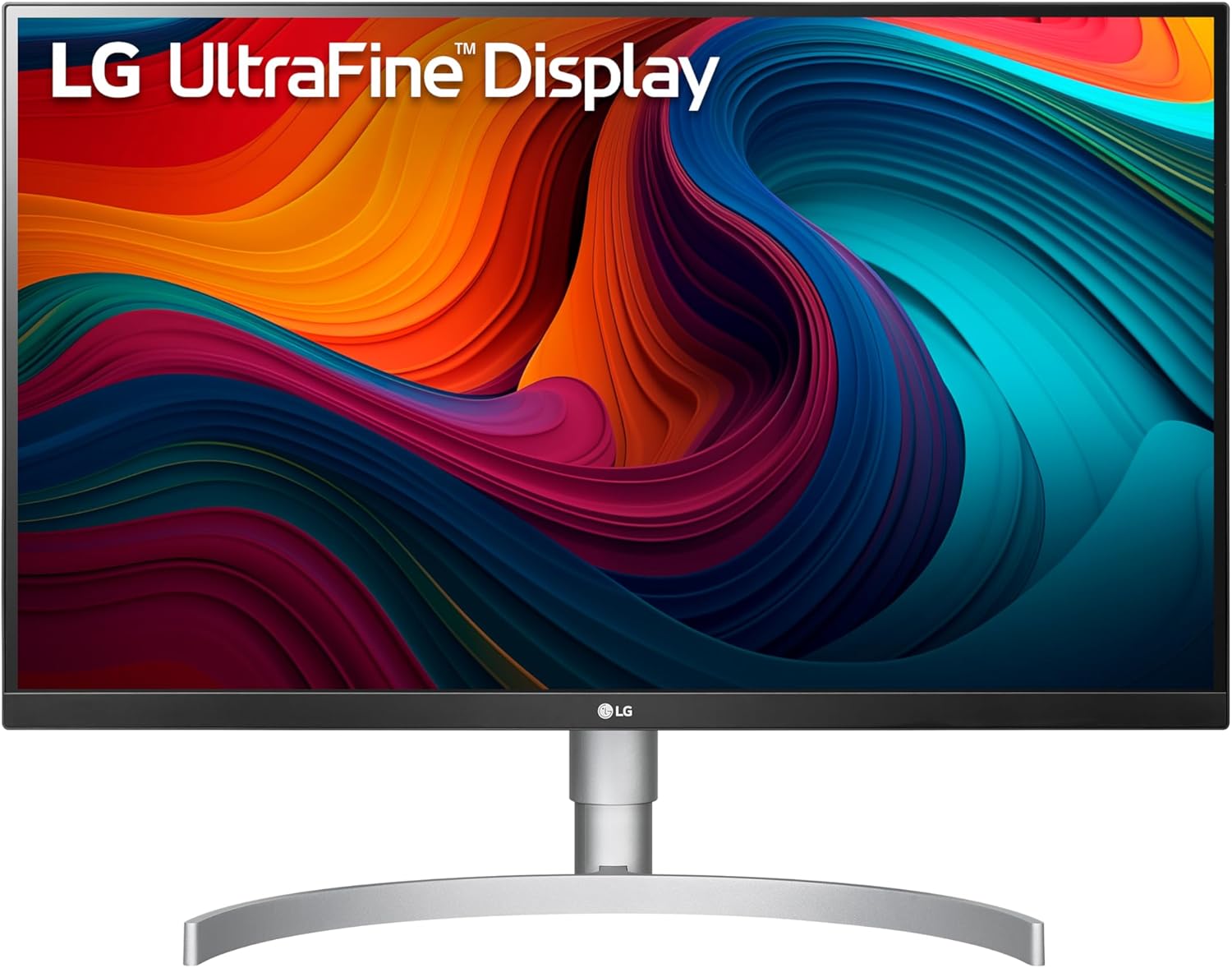
27UN850-W UltraFine 4K Monitor
The LG 27UN850-W is the color-accuracy pick among the B-tier monitors in our guide — its Nano IPS panel delivers a genuine 98% DCI-P3 color gamut that outpaces standard IPS competitors at this price, and its full ergonomic stand and 60W USB-C workflow cover the core needs of a single-cable home office setup. The trade-offs are real: 60W PD falls short for higher-wattage laptops, the USB hub lacks a downstream USB-C port, and 60Hz is the ceiling — but for users who prioritize color fidelity and a proven, well-built panel, it earns its place.
How We Scored It
Category Deep-Dives
Image Quality
8.0 / 10 30% weightingThe 27UN850-W’s defining asset — and the primary reason it earns the highest image quality score among the B-tier monitors in our guide — is its Nano IPS panel technology. Where standard IPS panels deliver approximately 99% sRGB coverage, Nano IPS uses nano-particles applied to the LED backlight to filter out excess light wavelengths, expanding the color gamut to 98% DCI-P3. For a home office display, this means more saturated, accurate color reproduction across the full visible spectrum — noticeably richer greens, more vivid reds, and a more lifelike rendering of photographs and video content that standard IPS monitors at this price cannot match.
The practical significance of 98% DCI-P3 depends on your workflow. For content creators, photographers, and designers working in wide-gamut color spaces, the Nano IPS advantage is tangible and directly useful — you are seeing substantially more of the color information in your files than a standard IPS panel would show. For users whose work is entirely in documents, spreadsheets, and web browsing, the difference is more aesthetic than functional, but still visible as improved color richness across everyday content.
At 4K resolution on a 27-inch panel, pixel density reaches approximately 163 PPI — sharp enough that text rendering at any standard system DPI setting is crisp and fatigue-free at normal desk distances. Contrast ratio sits at 1000:1, consistent with Nano IPS technology — the same ceiling as standard IPS, so if deep blacks and dark-room viewing comfort are priorities, the panel does not distinguish itself from IPS competitors on this axis. The DisplayHDR 400 certification is present but modest: 400 nits peak brightness with local dimming at this level is an entry-grade HDR implementation, meaningful in supported HDR content but not transformative compared to higher-brightness HDR monitors.
Bottom line on image quality: The best color gamut of any B-tier monitor in our guide, with 98% DCI-P3 coverage through Nano IPS technology. The strong choice for users who care about color fidelity. Contrast ratio is standard IPS territory — not a weakness, but not a differentiator either.
Connectivity & Versatility
7.0 / 10 22% weightingThe 27UN850-W supports a single-cable USB-C workflow via DisplayPort Alt Mode with 60W Power Delivery. One cable from a compatible laptop simultaneously carries the video signal, hub data, and up to 60W of charging — eliminating the separate power adapter for most thin-and-light laptops operating under normal workloads. This is the core workflow convenience that places the 27UN850-W in competitive consideration for home office buyers, and the implementation is reliable and well-established on a monitor that has been on the market long enough to have a thorough compatibility track record.
The 60W ceiling is the connectivity section’s key limitation. It covers most ultrabooks — a 13-inch MacBook Air, a Dell XPS 13, a Surface Laptop — comfortably under typical productivity loads. It does not cover a 14-inch MacBook Pro (which can demand 96W under sustained CPU or GPU load) or any 15-inch+ laptop that expects 90W+. For those users, 60W will sustain the battery under light use but will result in net battery drain under heavy workloads. The practical implication: if your primary laptop is a 16-inch MacBook Pro, a gaming laptop, or any mobile workstation that ships with a 90W+ adapter, the 27UN850-W’s charging wattage is a real constraint.
The USB hub is 2× USB-A downstream only — there is no downstream USB-C port on the hub. For desk setups that include USB-C peripherals (a newer external drive, a webcam with USB-C, a wired keyboard), this forces those devices onto adapter dongles or an external hub, negating some of the single-cable convenience. In 2020 when this monitor launched, USB-A-only hubs were the norm; in the current market, the absence of at least one downstream USB-C port is a comparative shortcoming. Video inputs are rounded out by 2× HDMI 2.0 and 1× DisplayPort 1.4, accommodating two additional sources — useful for switching between a desktop and a second laptop without cable swapping.
Bottom line on connectivity: Solid single-cable USB-C workflow for most thin-and-light laptops. 60W PD is the meaningful ceiling to check against your laptop’s requirement. No downstream USB-C hub port is a real gap versus newer competitors at similar prices.
Value for Money
7.0 / 10 20% weightingThe 27UN850-W’s value position has evolved since its 2020 launch. At launch, it occupied a clear niche — one of the few 27-inch 4K monitors with USB-C and Nano IPS color at an accessible price. The market has since filled in around it: the Dell S2725QC (#8, 7.8) now offers a comparable single-cable workflow for less, and while it uses standard IPS rather than Nano IPS, it adds a downstream USB-C hub port and slightly higher USB-C charging. The ASUS ProArt PA278CGV (#9, 7.7) offers factory calibration and professional-grade color coverage at a similar price point.
The honest value case for the 27UN850-W rests on its Nano IPS color gamut: 98% DCI-P3 is genuinely distinctive at this price, and no directly competing 27-inch 4K USB-C monitor at a comparable price matches it on color coverage. For buyers who specifically want that wide-gamut performance — photographers, designers, or simply users who want the richest, most accurate color on a productivity budget — the 27UN850-W remains a sound choice. For buyers whose priority is maximum connectivity features per dollar, newer alternatives offer better value. The 7.0 score reflects a monitor that is still competitive but no longer exceptional relative to the current landscape.
Bottom line on value: The 98% DCI-P3 color coverage remains the price-competitive differentiator. Newer competitors have narrowed the gap on connectivity and features. This is a good value specifically for color-conscious buyers; general-purpose buyers may find better value elsewhere in our B-tier.
Ergonomics & Build
7.5 / 10 15% weightingLG equipped the 27UN850-W with a full four-axis stand: height adjustment (up to 110mm), tilt (−5° to +20°), swivel (±30°), and pivot (90° portrait rotation). This is the complete ergonomic package for a home office display — users can position the panel at precisely the right height and angle for their seating posture and desk setup, and the pivot capability enables portrait-mode document reading or coding when the workflow benefits from a tall, narrow orientation. At this price tier, full four-axis stands are not universal; the 27UN850-W does not cut corners here.
Build quality is solid LG mid-tier construction — sturdy ABS chassis, minimal bezel on three sides with a slightly thicker bottom chin, and no observable flex under normal handling. The stand base has a smaller footprint than some competitors, which is a desk real estate advantage. OSD navigation uses a joystick controller centered on the rear bottom bezel — a design LG has used across its monitor lineup and one that is significantly more intuitive than button arrays on competing monitors. VESA 100×100mm compatibility is present for users who prefer a monitor arm, which at 27 inches and 6.8 kg is a practical option for freeing up desk space.
Bottom line on ergonomics and build: Full four-axis ergonomic stand, solid construction, and an intuitive rear-joystick OSD. The ergonomic package is one of the stronger points of this monitor and requires no compromises for a home office setup.
Eye Comfort
6.5 / 10 8% weightingThe 27UN850-W is flicker-free (DC backlight dimming rather than PWM) and carries a TÜV Rheinland Eye Comfort certification — a manufacturer-independent laboratory confirmation of reduced blue light emission and flicker-free operation. LG’s Reader Mode software preset reduces color temperature and blue-light output for extended reading sessions, supplementing the hardware-level flicker-free implementation with a software adjustment for specific use cases.
The eye comfort score of 6.5 does not reflect a hardware deficiency but rather a panel characteristic inherent to Nano IPS: the wider color gamut comes with slightly elevated color saturation in the blue channel relative to a standard-gamut sRGB panel. In practical terms, the Nano IPS panel at full gamut has a more vivid appearance that some users find more stimulating over extended periods than a neutral sRGB display would. Engaging sRGB mode in the OSD constrains the gamut to standard sRGB territory and restores a more neutral color balance for users who prefer it — a useful toggle for switching between color-accurate creative work and extended document sessions. This characteristic is manageable but worth noting for users sensitive to display vibrancy during multi-hour work sessions.
Bottom line on eye comfort: TÜV-certified and flicker-free — the hardware fundamentals are solid. The wider color gamut of Nano IPS can feel more vivid than standard IPS at default settings; using the OSD’s sRGB mode for document-heavy sessions is the practical mitigation.
Refresh Rate & Responsiveness
5.5 / 10 5% weightingThe 27UN850-W operates at 60Hz — standard for 4K productivity monitors at this price tier. For the home office workflows this monitor is designed for — document work, spreadsheets, video calls, web browsing, and content consumption — 60Hz is entirely adequate. UI elements render smoothly, scrolling is comfortable, and video playback is fluid at 60fps or below. The 5.5 score reflects the scoring framework’s appropriate recognition that 120Hz provides noticeably smoother scrolling and cursor tracking even in productivity contexts; it is not a criticism of the 27UN850-W’s fitness for its intended purpose.
Response time is rated at 5ms GtG (1ms with Motion Blur Reduction active). This is a productivity-class specification — appropriate for the use case, not competitive for gaming. Users whose workflow involves gaming, fast video editing with motion-heavy content, or any high-frame-rate use case should look elsewhere in our guide. The 27UN850-W is explicitly a productivity and color-accuracy monitor; evaluating it on gaming metrics misrepresents its design intent.
Bottom line on refresh rate: 60Hz is correct for this monitor’s use case. Users who want smoother scrolling at 4K will need a higher-tier option. This is a productivity panel, not a gaming or high-refresh display.
About the Manufacturer
Elec
LG Electronics (KRX: 066570) is a South Korean multinational headquartered in Seoul, founded in 1958. LG Display, its panel manufacturing subsidiary, is one of the world’s largest producers of IPS and OLED display panels — including panels used in competitors’ monitors. This vertical integration means LG’s monitors are built on panels LG manufactures itself, with the Nano IPS technology in the 27UN850-W representing LG’s proprietary development on the IPS architecture.
The 27UN850-W is part of LG’s UltraFine 4K line — the consumer productivity tier below the UltraFine OLED Pro aimed at professional colorists. LG monitors carry a 3-year warranty and a Zero Bright Dot policy — if any bright (stuck-on) pixel defect is confirmed, LG will replace the panel. LG provides customer support through its US service centers and authorized repair network, with generally positive reliability ratings for its IPS monitor lineup.