Deco BE63 (Deco 7 Pro)
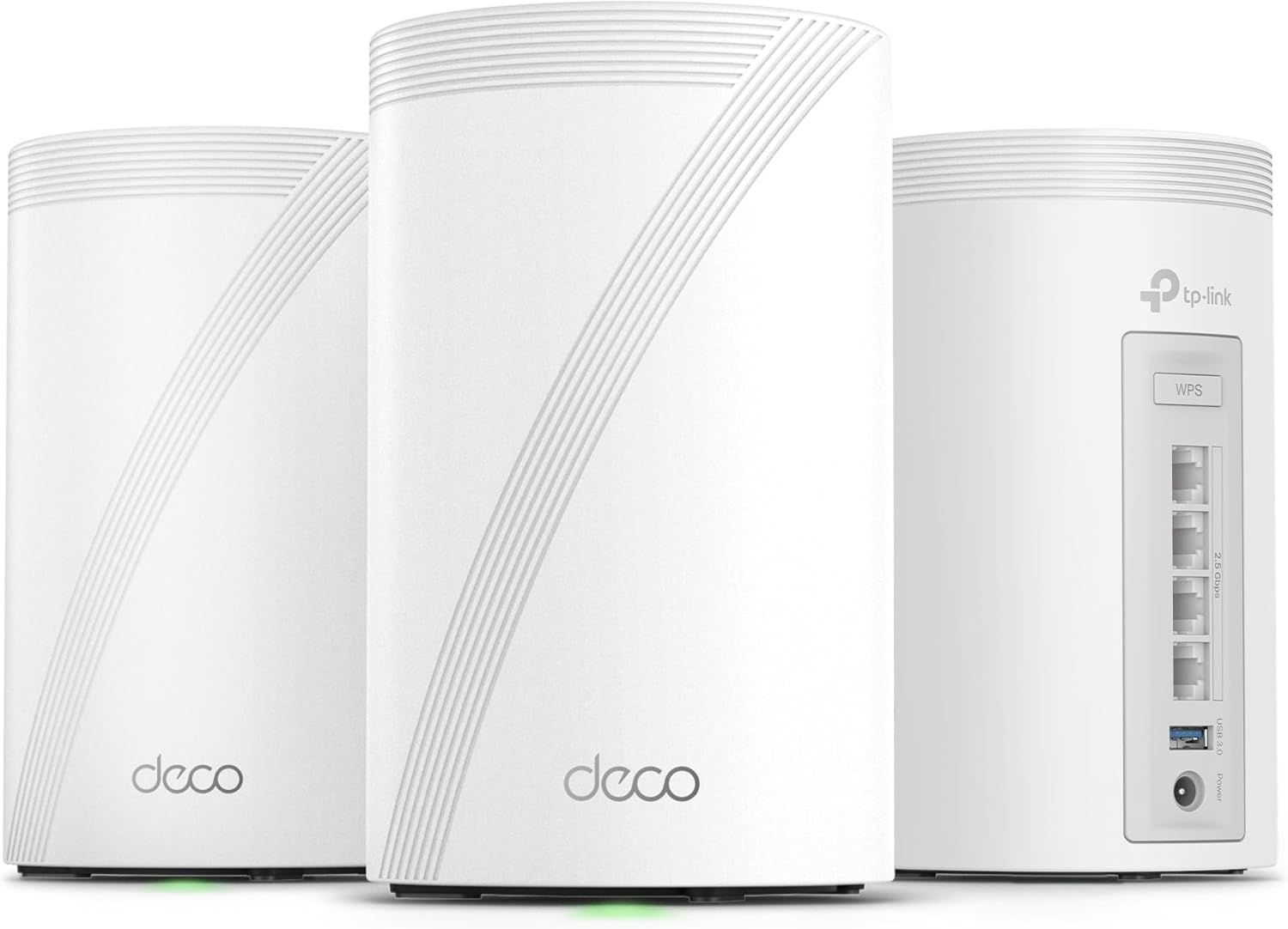
The TP-Link Deco BE63 is the value play in Wi-Fi 7 mesh, and it is a strong one: a three-node BE10000 kit covering 7,600 sq ft, with four 2.5G ports and a USB port on every node — twelve multi-gig drops across the system — at a price the ASUS, eero, and NETGEAR kits in this guide don’t approach. It ties the bigger Deco BE85’s 8.1 from the opposite direction: where the BE85 buys flagship silicon at a discount, the BE63 buys whole-home Wi-Fi 7 fundamentals at a price that resets the conversation. The same two asterisks apply — HomeShield’s paid tier, and TP-Link’s U.S. regulatory situation, which we explain rather than bury.
How We Scored It
Category Deep-Dives
Coverage & Range
9.0 / 10 20% weightingThe three-node BE63 kit is rated for roughly 7,600 sq ft — more floor area than any two-node system in this guide — and the three-node topology is an underrated advantage in its own right. Two big nodes cover a house in two large circles; three smaller nodes cover it in three overlapping ones, which handles L-shaped layouts, finished basements, and detached-office scenarios more gracefully, with shorter hops between nodes keeping signal quality high at every point. The AI-driven mesh handles client steering and pathing invisibly.
Backhaul is handled with a clever TP-Link wrinkle: the system can use wired and wireless backhaul simultaneously, aggregating a 2.5G Ethernet run with the wireless link rather than simply switching over. There is no dedicated backhaul band, and the BE63’s radios are slimmer than the BE85’s — so in a wireless-only configuration under heavy load, the far node gives up more than its bigger sibling. With even one wired run, the difference largely evaporates.
Bottom line on coverage: The largest rated footprint per dollar in our rankings, with a three-node layout that fits awkward floor plans better than two big units. Wire one hop if you can; the hybrid backhaul makes the most of whatever you give it.
Reliability & Stability
7.5 / 10 20% weightingAs with the Deco BE85, two separate questions live in this score. The first — does it run well? — earns a clean yes. The BE63 handles 200+ devices on modest-looking but well-balanced hardware, the Deco platform’s stability record is strong across an enormous installed base, and firmware arrives regularly through the app. Owner-reported disconnect rates for the Deco 7 series sit comfortably in the category’s upper tier. Day to day, it disappears into the background.
The second question — the five-year support horizon — carries the same deduction we applied to the BE85, for the same reason. The March 2026 FCC order added foreign-made routers to the Covered List (restricting newly certified models across every overseas brand), and TP-Link separately faces company-specific U.S. scrutiny: a Commerce Department proposal to block new TP-Link sales on national-security grounds, made in October 2025 and still pending as of mid-2026, plus an FTC inquiry opened that December. The router you’d buy today is authorized, sold, and fully functional; the question is the firmware-and-support runway behind a multi-year purchase. TP-Link disputes the allegations; the full picture is in our 2026 import-rule note, and the deduction is here because we’d rather score the uncertainty than ignore it.
Bottom line on reliability: A stable, low-drama mesh platform today, carrying the same honest regulatory deduction as every TP-Link product in this guide. Comfort with that trade is the deciding question.
Speed & Throughput
8.0 / 10 15% weightingThe BE63 is a BE10000-class system — 574 Mbps on 2.4 GHz, 4,324 Mbps on 5 GHz, and 5,188 Mbps on 6 GHz — with Wi-Fi 7’s MLO and 4K-QAM in the toolkit. Those are roughly half the BE85’s rated numbers, and that is the honest core of this score: this is Wi-Fi 7’s feature set (lower latency, steadier connections, a clean 6 GHz lane) more than Wi-Fi 7’s headline speed race. A Wi-Fi 7 laptop near a node still pulls multi-gigabit transfers; the ceiling just arrives sooner.
For the home office buyer, the practical question is whether the ceiling matters. On any internet plan up to about 2 Gbps — which is to say, nearly all of them — the BE63 is not the bottleneck, and the 2.5G WAN ingests such plans at full rate. The buyers who should pay up for the BE85 or a quad-band system are those with faster fiber, heavy local NAS traffic, or device counts in the dozens-of-active-streams range. Everyone else gets the Wi-Fi 7 benefits that actually show up on a video call at half the spend.
Bottom line on speed: Wi-Fi 7’s latency and stability benefits with a lower throughput ceiling — fully sufficient up to ~2 Gbps plans, and honestly outclassed above that. Match it to your internet bill.
Call & VPN Performance
8.0 / 10 15% weightingThe call experience benefits from the three-node layout as much as from the radios: shorter hops mean stronger signal wherever you sit, AI-driven roaming hands devices off smoothly mid-call, and MLO steadies Wi-Fi 7 clients across bands. Device-level prioritization in the Deco app covers the “my work laptop comes first” case adequately, in the same simpler-than-ASUS, more-manual-than-eero middle ground as the BE85. With a household’s worth of streaming running, call latency holds — the BE10000 radios have less absolute headroom than the BE85’s, but headroom per node is what matters, and three nodes spread the load.
VPN support mirrors its sibling: current Deco firmware offers OpenVPN and WireGuard (server and client), giving remote workers a real tunnel back to the home network — a capability eero and NETGEAR reserve for subscriptions or omit entirely. Encrypted throughput is modest; VPN-centric buyers should read our GL.iNet Flint 2 review, which exists for exactly that workload.
Bottom line on calls & VPN: Smooth, well-distributed call performance and genuine OpenVPN/WireGuard support at a price where competitors offer neither. The VPN ceiling is low; the floor is better than most.
Security & Management
7.0 / 10 15% weightingThe HomeShield story is identical to the BE85’s, so we’ll keep it brief: the free tier covers WPA3, security scans, basic parental controls, guest networking, and IoT isolation — a genuinely useful baseline — while HomeShield Pro paywalls real-time intrusion prevention, advanced filtering, and detailed reporting. The subscription penalty in our framework applies to the gated half, landing the BE63 at 7.0 alongside eero and NETGEAR rather than with ASUS and GL.iNet, whose suites are free for life.
The Deco app remains one of the friendliest in networking — setup of all three nodes takes minutes, and daily management is genuinely pleasant. The web interface is thin and power-user depth is limited, which matters less at this price point than it does on the BE85: nobody cross-shopping a value three-pack expects VLANs.
The brand-level context from our BE85 review applies here too: U.S. regulatory scrutiny of TP-Link stems from data-security and supply-chain concerns. No public finding has established a deliberate manufacturer backdoor in its consumer routers, and the products remain authorized for sale — but TP-Link routers have been frequent targets of real-world exploitation (e.g., the FBI-disrupted “Flax Typhoon” botnet in 2024). A security-first buyer should read that context; a value-first buyer should at least know it exists.
Bottom line on security: Useful free basics, the good stuff behind HomeShield Pro, and an excellent app with a low ceiling — plus the brand context every TP-Link buyer should read first.
Connectivity & Value
9.0 / 10 15% weightingEvery BE63 node carries four 2.5G WAN/LAN ports and a USB 3.0 port — twelve multi-gig Ethernet drops across the three-pack, more total wired connectivity than any other kit in this guide ships in the box. No single port exceeds 2.5G, which is the spec-sheet concession to the price; in exchange, every room with a node gets enough wired drops for a desk, a dock, and a printer without a switch. For the large majority of home offices, four 2.5G ports per room beats two 10G ports they’d never saturate.
And then there is the price, which is the entire thesis. The BE63 three-pack routinely sells for less than a single node of some flagship systems here — for 7,600 sq ft of Wi-Fi 7, twelve multi-gig ports, and real VPN support. Even adding a HomeShield Pro subscription, the five-year cost undercuts everything above it in these rankings. The familiar TP-Link asterisk — regulatory uncertainty as a discount on the discount — applies, and we’ve priced it into Reliability rather than double-counting it here. On pure hardware per dollar, nothing in this guide competes.
Bottom line on connectivity & value: Twelve 2.5G ports, USB on every node, and the lowest cost per square foot of Wi-Fi 7 coverage we’ve scored. The value pick of the mesh tier, eyes open as always.
About the Manufacturer
Link
TP-Link is the world’s largest consumer networking vendor by volume, and its Deco mesh line and Archer router family have built their position on aggressive price-to-performance — frequently delivering the newest Wi-Fi generation’s features at prices a tier below ASUS, NETGEAR, and eero. The Deco BE63, also sold as the Deco 7 Pro, launched in 2023–2024 as the value-flagship of the Wi-Fi 7 Deco range, below the BE85.
The company’s U.S. position carries unusual context. U.S. agencies have scrutinized TP-Link’s China ties on national-security grounds since 2024, and that scrutiny has intensified rather than receded: in October 2025 the Commerce Department proposed blocking new sales of TP-Link products (a proposal still pending as of mid-2026), and the FTC opened a separate inquiry in December 2025. The March 2026 FCC Covered-List order on newly certified foreign-made routers does not affect models already authorized — including everything TP-Link currently sells. TP-Link disputes the allegations, says it has separated from the China-based TP-LINK Technologies Co., and has reorganized its U.S. operations as California-based TP-Link Systems. We cover the full situation in our import-rule note and reflect it in our scoring rather than excluding the brand: the hardware earns its place in these rankings on merit.
For home office buyers, the practical summary: TP-Link offers the strongest hardware value in Wi-Fi 7, with a support-horizon question the other brands here don’t carry. Buy on merit, with eyes open.