Brio 4K
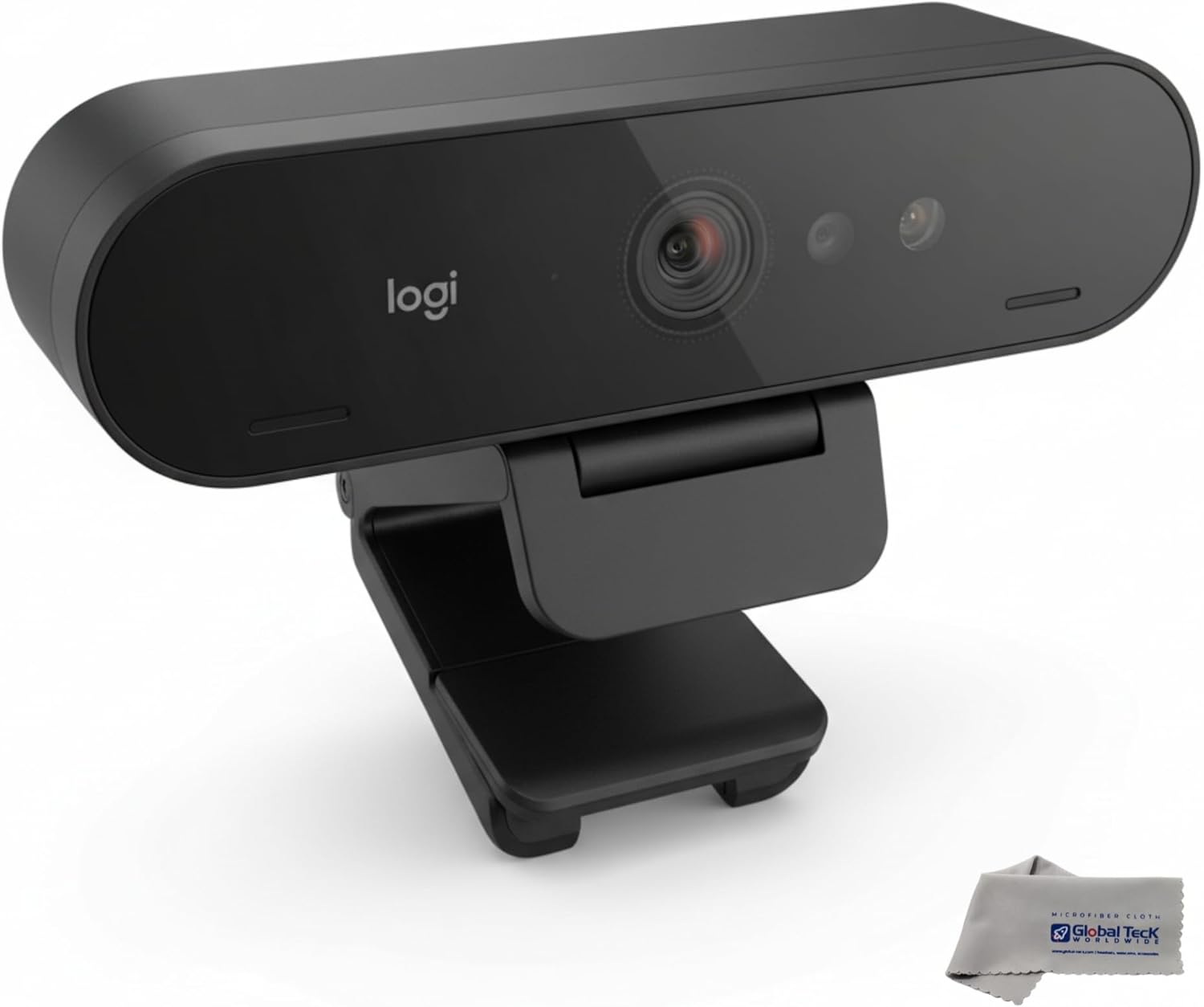
The Logitech Brio 4K delivers solid 4K output with Logitech’s third-generation RightLight processing and the reliability of a mature, widely supported platform — but it sits in an increasingly competitive market where newer entrants now offer more advanced features at similar prices. Without the beamforming AI noise cancellation of the MX Brio 705 and without AI auto-framing, it is a dependable choice for users who want proven Logitech hardware and broad platform compatibility without paying the MX premium, but not the strongest value proposition in our guide.
How We Scored It
Category Deep-Dives
Image Quality
8.0 / 10 30% weightingThe Brio 4K captures at 4K resolution at 30 frames per second, with 1080p available at 60fps — a specification that remains fully adequate for any current video conferencing platform. The 4K capture provides meaningful headroom for software-side cropping and framing adjustments without resolution loss, and Zoom, Microsoft Teams, and Google Meet all consume the 1080p stream comfortably even when the camera is set to 4K output.
RightLight 3 is Logitech’s third-generation automatic light correction system. In well-lit environments — a desk with consistent overhead lighting or controlled daylight — the Brio 4K produces clean, accurate color reproduction and sharp autofocus. The limitation relative to its successors becomes apparent in challenging conditions: window backlighting, variable mixed lighting, or low-light evening environments where RightLight 3 must choose between exposing correctly for the subject or the background, as it lacks the HDR processing layer introduced in RightLight 4. In these scenarios, the image can appear washed out or underexposed depending on the background brightness — a limitation that users in variable lighting environments will notice.
Autofocus is continuous and performs reliably for standard seated call use at typical distances (50–100cm from the lens). The adjustable field of view — selectable at 65°, 78°, or 90° through Logi Tune — provides practical flexibility for users who need to fit more of their desk environment into frame or want a tighter framing on their face. The 5x digital zoom is available for additional crop. For users in well-controlled, consistent lighting environments, the Brio 4K delivers the image quality expected from a 4K Logitech product. For users with challenging home office lighting — the more common scenario — RightLight 3’s ceiling is a real constraint.
Bottom line on image quality: Strong output in good lighting conditions, held back by RightLight 3’s inability to handle high-contrast or variable lighting scenarios as effectively as fourth-generation competitors. 4K resolution and autofocus are reliable; the limiting factor is light correction in demanding environments.
Audio Performance
6.5 / 10 25% weightingThe Brio 4K includes dual omnidirectional microphones that provide serviceable call audio in quiet, controlled environments. Voice pickup is clear when background noise is minimal, and the dual-element configuration provides a wider pickup pattern than single-microphone alternatives. For a home office with good acoustic conditions — a reasonably quiet room, no HVAC directly overhead, no keyboard noise from a mechanical switch board — the audio is acceptable for professional video calls.
The critical gap versus newer webcams at this tier is the absence of beamforming and AI noise cancellation. Where the MX Brio 705 applies spatial signal processing to electronically focus pickup toward the speaker and actively suppress noise arriving from other directions, the Brio 4K’s microphone system captures what the room contains without the ability to discriminate between voice and background. In practice, this means HVAC noise, ambient street sound, keyboard clicks, and other common home office background sources are captured and transmitted to call participants at meaningful volume. Users in noisy environments will notice their counterparts are more easily distracted by background noise than with beamforming-equipped alternatives.
For users who already own a dedicated USB or XLR microphone, or who use a headset with an integrated boom mic, the audio category is largely irrelevant to the Brio 4K’s purchase decision — the webcam’s audio will simply not be used. For users relying on the integrated webcam microphone as their primary call audio source, the 6.5 score reflects an honest assessment: it is functional, not a competitive differentiator, and meaningfully behind the beamforming implementations now available at similar price points.
Bottom line on audio performance: Dual omnidirectional microphones deliver adequate audio in quiet conditions but lack beamforming or AI noise cancellation. In typical home office environments with background noise, performance is noticeably below webcams offering integrated beamforming — the weakest area in this evaluation.
Usability & Features
7.5 / 10 20% weightingThe Brio 4K ships with Logi Tune for camera management on Windows and macOS. Logi Tune provides FOV selection (65°, 78°, or 90°), digital zoom control, manual exposure and white balance overrides, and video effects. The software is stable, straightforward to use, and sufficient for the majority of configuration adjustments a home office user will want to make. There is no AI framing, Show Mode, or adaptive scene management — the Brio 4K is a set-and-forget camera configuration rather than a dynamically adapting one.
Platform certifications are comprehensive: the Brio 4K carries Microsoft Teams, Zoom, and Google Meet certifications, reflecting extensive compatibility testing across the major enterprise video conferencing platforms. Plug-and-play operation is reliable — USB-C connection is recognized immediately by all supported platforms without driver installation, and Logi Tune is an optional enhancement rather than a prerequisite for basic function. A USB-A adapter is included for users whose computers lack USB-C ports, adding backward compatibility that some competing webcams omit. The built-in privacy shutter is a mechanical sliding cover that physically blocks the lens — a reliable privacy mechanism for home office environments where the camera is visible when not in use.
The absence of AI auto-framing is the most significant feature gap at the 7.5 score level. Competing webcams in the same price range increasingly include software-based subject tracking that keeps the speaker centered in frame during natural movement — a feature the Brio 4K does not offer. For users who sit still during calls, this omission is invisible. For users who move naturally during presentations, whiteboarding, or standing desk use, AI framing is a meaningful practical advantage that the Brio 4K cannot match.
Bottom line on usability and features: Reliable plug-and-play operation, comprehensive platform certifications, a useful software suite via Logi Tune, and a practical built-in privacy shutter. The feature set is solid but static — no AI framing or adaptive processing distinguishes it from the more capable options above it in our rankings.
Value
6.5 / 10 15% weightingThe Brio 4K’s value score of 6.5 reflects a competitive landscape that has shifted meaningfully since the original Logitech Brio became the reference point for professional webcams. At its current market price, the Brio 4K competes directly against the Logitech Brio 500 (ranked #6, 7.5/10 in our guide) — a newer product that offers a more modern sensor, improved light correction, and a cleaner software experience for a price that is typically equal to or lower than the Brio 4K. Within Logitech’s own lineup, the case for choosing the Brio 4K over the Brio 500 is narrow for most users.
At the premium end, the MX Brio 705 is available for a modest price increase above the Brio 4K and delivers a substantially better audio system (beamforming AI noise cancellation vs. dual omni without processing), fourth-generation RightLight HDR (vs. RightLight 3), AI Show Mode framing, and a larger Sony STARVIS sensor. The incremental premium for the MX Brio 705 is well-justified for users making full-time professional use of their webcam, narrowing the justification for the Brio 4K further. The 6.5 value score does not indicate a poor product — it indicates that the Brio 4K occupies a price tier that is now well-served by more capable alternatives, both within and outside Logitech’s catalog.
Bottom line on value: The Brio 4K is a capable product in a position in the market that newer competitors have eroded. The Logitech Brio 500 offers comparable or better performance at a similar or lower price point; the MX Brio 705 offers substantially better audio and light correction for a modest premium. Neither direction of the comparison favors the Brio 4K strongly.
Physical Design
7.5 / 10 10% weightingThe Brio 4K is compact and professionally finished — a matte plastic housing in a form factor that sits unobtrusively on most monitor setups. The built-in privacy shutter provides physical lens coverage via a sliding mechanism that is smooth to operate and reliable over repeated use. For home office workers whose cameras are visible in shared spaces, the physical shutter addresses privacy concerns without relying on software-based camera disabling, which can be bypassed or forgotten.
The universal clip mount adjusts to fit monitor bezels across a wide range, and the included desk stand is a stable alternative for laptop users or those who prefer a lower camera position. The USB-C cable with included USB-A adapter provides deployment flexibility across older and newer laptop configurations. Build quality is consistent with Logitech’s professional peripherals tier: no flex in the housing, a smooth tilt-adjustment mechanism, and a clip that holds monitor position reliably without overtightening. The camera’s footprint is small enough that it does not visually dominate the top of most monitors. The ¼-20 tripod thread adds mounting versatility for users who want arm-mounted or off-desk positioning.
Bottom line on physical design: Solid Logitech build quality with a practical privacy shutter, versatile mounting options including ¼-20 thread, and backward-compatible USB-C with USB-A adapter. Physical design is a consistent strength across Logitech’s webcam lineup and holds here.
About the Manufacturer
tech
Logitech was founded in 1981 in Apples, Switzerland, initially producing computer mice for the OEM market before establishing its own consumer brand. The company grew into the world’s largest PC peripheral maker, with a product portfolio spanning mice, keyboards, webcams, headsets, speakers, and gaming accessories. Logitech is publicly traded on both the SIX Swiss Exchange and Nasdaq, and generates over $4 billion in annual revenue.
Logitech entered the webcam category early and has maintained significant market presence through multiple product generations. The Brio product line was introduced as Logitech’s premium webcam range, with the original Brio establishing 4K video conferencing as an accessible category for professional users. Successive generations have introduced improved light correction, higher-quality sensors, and expanded software capabilities, while the MX Brio line now sits above the standard Brio range with advanced AI-driven features and premium sensor hardware.
Logitech’s Logi Tune software manages webcam and headset configuration on Windows and macOS, providing controls for video settings, audio adjustments, and firmware updates in a unified interface. The Brio 4K is sold through Logitech’s own retail channels, major electronics retailers, and on Amazon. Logitech offers a limited hardware warranty and standard technical support through its customer service channels.