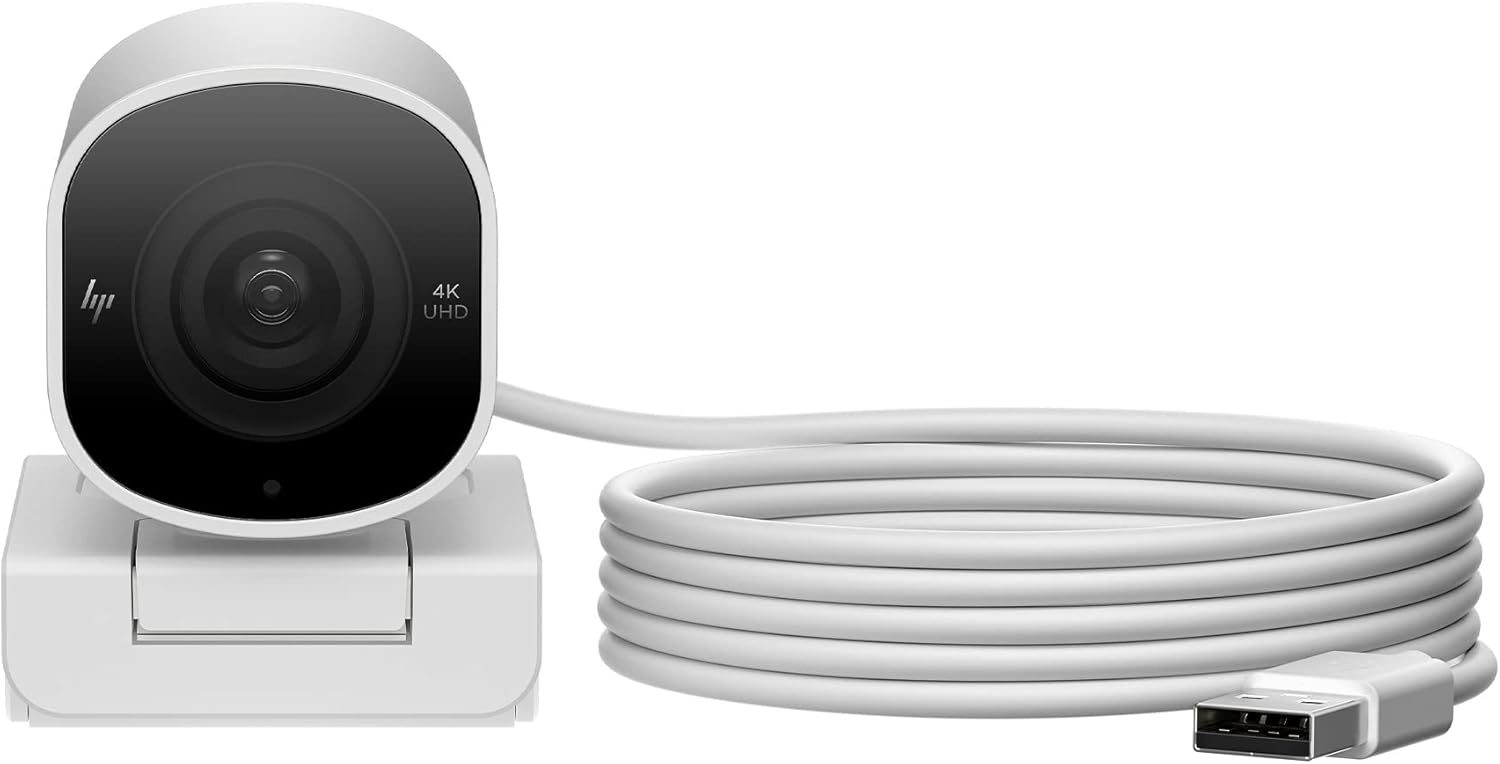
960 4K Streaming
The HP 960 leads with a 4K resolution claim and an integrated privacy shutter at a budget price — two features that look strong on paper. In practice, the sensor and image processing execution at this price point leave the 4K headline undersupported: output in real call conditions is softer and noisier than the resolution figure implies. The privacy shutter is a genuine plus, and the dual FOV setting adds some flexibility. But HP’s limited webcam software ecosystem and the weak audio performance mean the 960 trails better-executed alternatives at the same or lower prices. A narrow recommendation for buyers who specifically need 4K output and a physical privacy shutter in this price range and have no higher-ranked alternative available.
How We Scored It
Category Deep-Dives
Image Quality
5.5 / 10 30% weightingThe HP 960’s headline specification is 4K (3840×2160) capture at 30fps. The raw resolution is real — the camera does output a 4K signal, and for buyers who specifically require 4K for content recording, screen capture alongside calling, or downstream cropping workflows, this is the camera’s strongest argument. For buyers evaluating the 960 purely on video call quality, the 4K output provides a theoretical clarity advantage that the lens and image processing do not fully support in practice.
The core challenge is that delivering useful 4K image quality requires more than a 4K sensor. The lens optics, image signal processor, and low-light performance all determine whether the pixel count translates to visible detail improvement. In the HP 960’s case, owner feedback consistently notes that real-world output in typical call conditions — standard office lighting, mixed indoor illumination, variable backgrounds — appears softer than its resolution suggests. Fine detail in text, facial features, and background elements is better than 1080p but noticeably short of what comparably priced cameras with better-executed sensor pipelines produce. In lower light, the sensor compounds these limitations with increased noise and reduced sharpness.
The dual FOV setting (65° or 78°) is a practical image framing feature: 65° produces a tighter, more background-isolating shot appropriate for professional calls, while 78° opens up enough to accommodate a two-person workspace or include desk context. Switching between the two requires a physical control on the camera body, which is a simple and reliable implementation. Autofocus is present and handles typical subject distances adequately.
Bottom line on image quality: 4K resolution is genuine but not fully supported by the lens and processing pipeline at this price point. Real-world output is better than 1080p but falls short of well-executed 4K. The dual FOV setting is a practical plus. The 5.5 score reflects a camera whose headline spec overpromises relative to delivered image quality in typical use conditions.
Audio Performance
5.0 / 10 25% weightingThe HP 960 includes dual built-in microphones. Audio capture is functional for basic call conditions — voice intelligibility in a quiet room is adequate, and the microphones pick up a seated speaker at normal desk distance without significant dropout. The absence of any named noise suppression technology or AI-based audio processing means that the 960’s microphone performance in typical home office conditions — HVAC noise, keyboard clicks, street audio through windows — is noticeably weaker than webcams that include active noise canceling or beamforming arrays.
HP’s webcam audio implementation reflects the brand’s positioning in the peripheral market: the microphones are present and functional rather than a differentiating feature. For buyers in genuinely quiet working environments whose call participants are not sensitive to ambient audio quality, the dual mics are sufficient. For buyers in noisier environments or whose calls are in settings where audio clarity is professionally important, the 960’s audio is the weakest link in the chain and should be supplemented with a dedicated USB microphone.
Bottom line on audio performance: Basic dual-mic capture with no active noise processing. Adequate in quiet conditions, limited under any meaningful ambient noise load. The 5.0 score reflects audio that meets a minimum functionality bar without approaching the quality of cameras with dedicated noise canceling or multi-mic arrays at the same price.
Usability & Features
6.0 / 10 20% weightingThe HP 960’s two strongest usability features are its integrated physical privacy shutter and its switchable field of view. The privacy shutter is a slide mechanism built into the camera body — it covers the lens completely when closed, operates without software dependency, and cannot be lost or forgotten. This is the correct implementation for a privacy solution: reliable, physical, and independent of operating system state. At a price tier where many cameras still offer no physical privacy solution, the 960’s integrated shutter is a meaningful practical advantage.
The dual FOV toggle — 65° or 78° — is controlled via a physical button on the camera body. The ability to switch between a tighter professional framing and a wider contextual shot without software interaction is genuinely useful for buyers who alternate between call types. Most cameras at this price point offer a single fixed FOV; the 960’s hardware FOV switch adds real flexibility for users whose call environments vary.
The limitations are in the software layer. HP’s webcam control application is significantly less capable than Logitech Capture, AnkerWork, or the Obsbot ecosystem. Advanced image controls — exposure locking, white balance presets, noise reduction parameters, stream resolution switching — are either absent or buried in an interface that receives infrequent updates. There is no AI auto-framing: if you move off-camera during a call, you leave the frame, and no correction is applied. For buyers who remain stationary on calls, this is a non-issue; for buyers who frequently reach across the desk, stand while calling, or use a standing desk, the absence of auto-framing is a real limitation.
Bottom line on usability and features: Physical privacy shutter and hardware FOV switching are the two genuine feature advantages. The software ecosystem is limited and the absence of AI auto-framing constrains the use case. The 6.0 score reflects a feature set that earns above-average marks on its two hardware features while trailing on software depth and intelligent framing.
Value
5.0 / 10 15% weightingThe HP 960 occupies a price band where its 4K headline and privacy shutter initially look compelling. The value case weakens under direct comparison. The Anker PowerConf C300, ranked #9 in this guide at approximately the same price, delivers 1080p/60fps, AI auto-framing, a three-mic beamforming array, and a wider FOV range — with stronger practical image quality in typical call conditions. The Logitech C922 Pro Stream, ranked one above the 960 despite aging specs, still outscores it on image delivery. The Anker PowerConf C200 delivers 2K resolution, an integrated privacy shutter, and a cleaner software experience for less.
The 4K specification is the 960’s only substantive feature lead over these alternatives. If 4K output is specifically required — for content recording, video production side-by-side with calling, or organization mandates around minimum resolution — the 960 is the most accessible 4K option in the guide’s price range. If 4K is not a hard requirement, the value case for the 960 over better-executed 1080p and 2K cameras at the same price is difficult to make.
Bottom line on value: The 4K specification is the sole differentiating value argument; it does not compensate for weaker image execution and limited software relative to alternatives at the same price. The 5.0 score reflects a camera whose value is narrow and conditional: strong for buyers with a specific 4K requirement, poor for buyers without one.
Physical Design
6.0 / 10 10% weightingThe HP 960 uses a compact plastic housing with a monitor clip suitable for standard flat-panel displays. Build quality is adequate for daily use without premium material feel. The form factor is clean and unobtrusive on a monitor top; the all-black design is neutral for professional call backgrounds.
The standout physical feature is the integrated sliding privacy shutter, which is well-implemented — the slide mechanism is smooth, closes completely over the lens, and is physically attached to the camera body so it cannot be misplaced. The FOV toggle button is accessible on the camera body and provides tactile feedback confirming the switch. The USB-A connection is on a fixed cable of standard length. There is no tripod mount, which limits placement flexibility compared to cameras with a standard 1/4”-20 thread.
Bottom line on physical design: Solid privacy shutter implementation and a functional hardware FOV button are the design highlights. Compact monitor-clip form factor, adequate build quality. The 6.0 reflects a design that earns its marks on two specific hardware features while remaining basic on build materials and flexibility overall.
About the Manufacturer
HP Inc. is one of the world’s largest personal computer and printing companies, with webcams and peripherals as secondary product lines supporting its PC ecosystem. The 960 4K is part of HP’s consumer webcam lineup, designed to complement HP laptop and desktop users rather than as a standalone market product. Webcam software development — driver maintenance, control application updates, firmware improvements — receives lower investment priority at HP than at dedicated peripheral manufacturers like Logitech or specialized entrants like Obsbot and Insta360.
HP’s US warranty and support infrastructure is well-established through its PC support channels. Driver compatibility with HP’s own systems is consistently maintained; compatibility with non-HP hardware has been more variable in owner reports. For buyers already in an HP computing ecosystem, the 960 integrates without friction; for buyers on other platforms, verifying macOS and platform compatibility before purchase is advisable. HP’s webcam line is available through Amazon, HP Direct, and major electronics retailers.