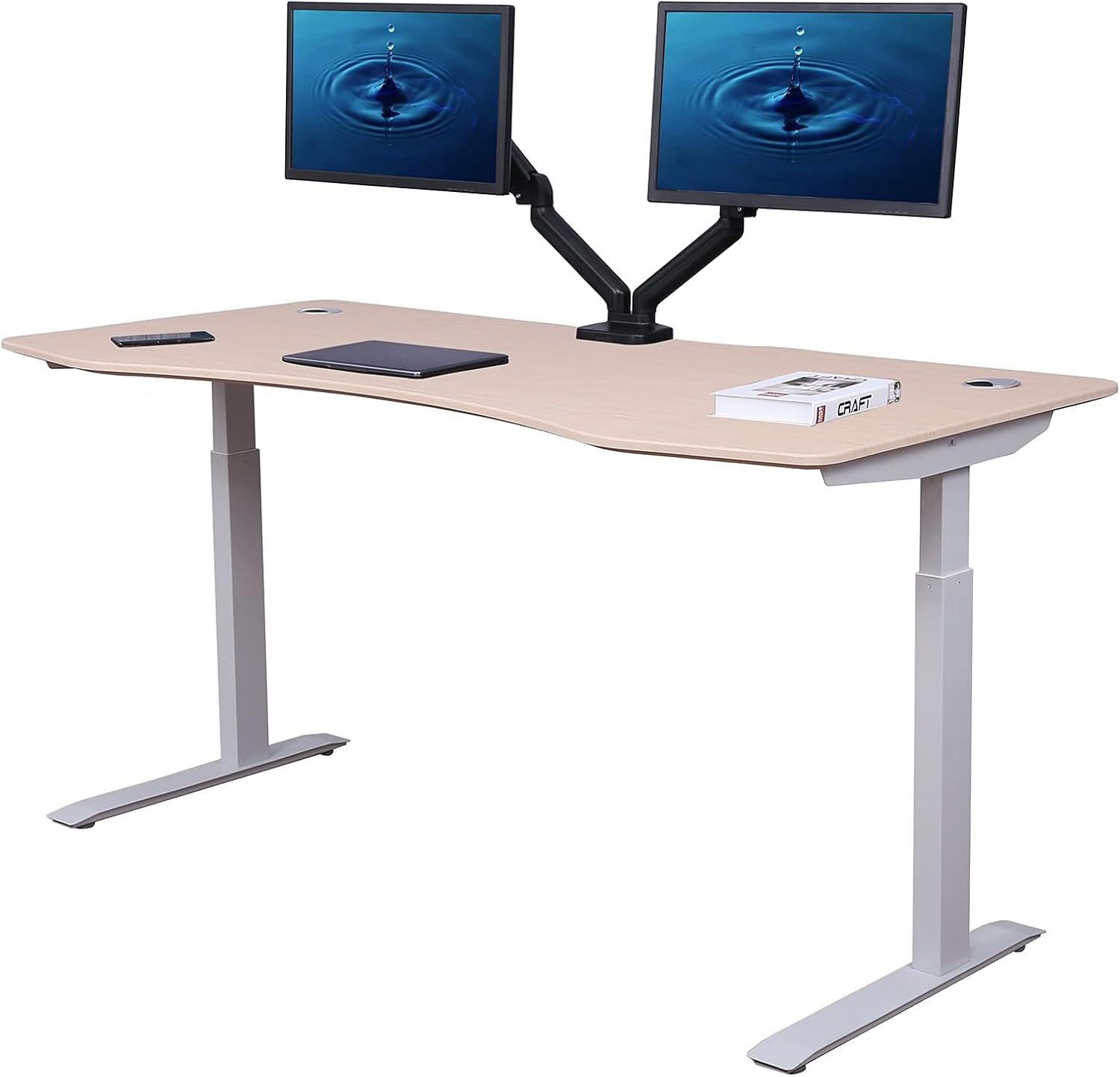
Elite Series 60″ Standing Desk
The ApexDesk Elite Series 60″ ranks last in our standing desk guide, and the reasons are specific: it is the only desk we evaluated that ships without anti-collision detection, it carries the highest minimum work surface height (29″) in the guide — excluding most users shorter than 5’8″ from correct seated ergonomics — and its 2-year motor warranty is the shortest of any desk we reviewed. At the same time, the 60-inch work surface at its price point represents genuine value, and buyers who know what they’re trading away may find the price-to-surface-area ratio acceptable for short-term ownership. The Elite is a desk that does one thing well: it is large and it is affordable. Everything else is a concession.
How We Scored It
Category Deep-Dives
Structural Stability
6.5 / 10 30% weightingThe ApexDesk Elite uses a dual-motor 2-stage frame with one motor per lifting column, electronically synchronized to maintain a level surface during height transitions. This is the same fundamental architecture as most mid-tier standing desks. The 60″ desktop span introduces a structural consideration not present in narrower desks: a longer surface amplifies any lateral sway that exists in the leg system, because flex at the frame level translates to more visible movement at the far edges of the work surface. This is a geometry problem, not a materials one — a 60″ desktop on a standard 2-stage frame will move more perceptibly at the outer edges than a 48″ desk with the same legs.
The Elite’s frame includes a crossbar connecting the two leg columns, which is the primary defense against lateral sway and is correctly included here. Lifting capacity is rated at 235 pounds — the highest figure in the bottom three ranked desks, and adequate for all standard home office loads including large hardwood tops, dual monitors, and full peripheral setups. The 235-lb rating also provides meaningful headroom above typical home office configurations, which benefits motor longevity by avoiding operation at peak rated load.
The 2-stage leg design produces the characteristic ceiling for this architecture: meaningful wobble at maximum extension, particularly with a 60″ desktop amplifying the deflection. At seated heights, the frame is stable; at standing heights, a 60″ Elite will show more sway than narrower or 3-stage alternatives at the same height. The 6.5 score acknowledges that the frame is solid-for-tier, with the 235-lb capacity and crossbar inclusion as positives, while noting that the wide desktop makes the 2-stage geometry’s limitations more perceptible than they would be on a narrower desk.
Bottom line on structural stability: A standard dual-motor 2-stage frame with a crossbar and solid 235-lb capacity. The 60″ desktop width amplifies frame flex at maximum height — expect more edge-wobble than narrower desks on the same architecture. A mid-range structural score reflects adequacy without distinction.
Ergonomic Range
5.0 / 10 25% weightingThe ApexDesk Elite’s height range of 29.0″ to 48.0″ is the most constrained in our guide by a meaningful margin, and it imposes real ergonomic limits on a large portion of the adult user population. The 29.0″ minimum is the highest seated-height floor of any desk we evaluated — fully 4.6″ above the FlexiSpot E5’s 24.4″ minimum, and 1.7″ above the Branch Four Leg’s already-high 27.3″ minimum. At 29″, the desk is above the BIFMA G1 ergonomic target for seated elbow height for users shorter than approximately 5’8″. A user who is 5’4″ seated at 29″ will need their elbows elevated above the elbow-at-90° ideal, causing the shoulder shrug and forearm angle associated with upper trapezius fatigue over time. The Elite cannot be set up correctly for seated ergonomics for anyone shorter than roughly 5’8″ — a group that includes most women and a significant share of men.
The 48.0″ maximum standing height is the lowest ceiling in our guide, offering 19″ of total travel. For standing ergonomics, 48″ is appropriate for users approximately 5’7″ to 5’10″, but falls short for users 6’0″ and above who need work surfaces in the 50″–53″ range for correct elbow position while standing. The desk thus serves a narrow band of user heights well — roughly 5’7″–5’9″ — and provides compromised ergonomics at either extreme. Shorter users cannot achieve a correct seated position. Taller users cannot achieve a correct standing position.
At 19 inches of total travel, the Elite’s span is the narrowest in the guide and significantly below the 24–26 inch ranges of most competitive alternatives. This is a structural characteristic of the 2-stage leg design at this particular height band — it is not a spec that can be adjusted after purchase.
Bottom line on ergonomic range: The 29.0″ minimum is the most restrictive seated floor in our guide and excludes users shorter than approximately 5’8″ from correct seated posture. The 48.0″ maximum limits standing ergonomics for users 6’0″ and above. The 19″ of total travel is the narrowest range in the guide. The 5.0 score reflects a desk that serves a narrow height band well and fails to accommodate most of the adult height distribution at either end.
Motor & Controls
5.5 / 10 20% weightingThe ApexDesk Elite uses a synchronized dual-motor system — one motor per lifting column — which correctly maintains a level surface through height transitions without the torque drift of single-motor drive-shaft designs. Motor noise is rated at approximately 50 dB, which sits at the upper end of the acceptable range for a home office. This is not a disruptive level during normal use, but it does not achieve the quiet performance (<45 dB) of category leaders. The motor mechanism functions reliably in owner reports with consistent height transitions across the full range.
The critical gap in the Elite’s motor and controls package is the absence of anti-collision detection — making it the only desk in our 12-desk standing desk guide that does not include this feature. Anti-collision stops and reverses the desk’s downward movement when the lifting mechanism encounters unexpected resistance. Without it, a descending Elite will continue applying motor force to whatever is in its path — a chair, a knee, a pet, a cable, or a child — until the movement completes or the motor stalls. The force applied by a dual-motor standing desk can cause injury and equipment damage; the feature exists specifically to prevent this, and its absence at any price point is a meaningful safety omission. As we note in our methodology section, the Fully Jarvis’s anti-collision absence is a notable mark against it — the Elite’s absence of this feature is the same risk at a lower price point.
The four programmable height memory presets are the correct standard for the category and function as expected. The keypad displays current height in real time and the button layout is straightforward. The controls package is otherwise complete, with the anti-collision absence being the sole but significant gap versus category peers.
Bottom line on motor and controls: A functioning dual-motor system with four presets and adequate noise performance, anchored by one significant safety omission: no anti-collision detection. In a home office with children, pets, or complex cable routing, this is not a minor spec gap — it is the reason this desk should not be the first choice for those environments. The 5.5 score reflects solid motor mechanics undermined by the most important safety feature in the controls package being absent.
Warranty & Longevity
5.0 / 10 15% weightingThe ApexDesk Elite carries a split warranty: 5 years on the frame, 2 years on the motor and electronics. The frame coverage is in line with lower-tier desks in the guide. The motor coverage is the shortest in our evaluation — worse than the FlexiSpot E5’s unified 5-year motor warranty and far behind the 10- and 15-year motor warranties offered by category leaders. This matters because the motor is the standing desk component most likely to require service or replacement during the desk’s useful life. Motors fail for mechanical reasons (worn brushes, bearing wear) and electronic reasons (control board failure, overheated components), typically after years of daily use. A 2-year motor warranty means that any motor failure occurring after the 24-month mark — a realistic scenario given the desk’s expected multi-year service life — is an out-of-warranty repair expense.
Replacement motor columns for the Elite are a meaningful cost on their own, and a dual-motor desk that requires both motors to be replaced at year 3 or 4 carries a meaningful repair cost against original purchase price. ApexDesk’s customer support and parts availability have been inconsistently reviewed in owner communities — some users report straightforward warranty service, while others cite delays and limited parts access for older configurations. This inconsistency in the service experience adds uncertainty to the already-short coverage period.
The split warranty structure is itself an editorial signal: manufacturers who have high confidence in their motor components offer longer motor coverage. A 2-year motor warranty on a product intended for daily desk use over 5–10 years is a manufacturer’s implicit acknowledgment of uncertainty about long-term motor durability in this product line.
Bottom line on warranty and longevity: A 2-year motor warranty is the shortest in our guide and the most significant long-term risk in the Elite’s spec sheet. The 5-year frame coverage is adequate but not distinguishing. Buyers planning to own this desk for more than 3–4 years should factor the motor replacement risk into their total cost calculation — and should seriously consider spending more for a desk with at least a 5-year unified warranty.
Value
8.0 / 10 5% weightingThe ApexDesk Elite’s 8.0 value score is the highest individual category score on its scorecard — and it reflects a real characteristic of the desk: a 60-inch work surface with a dual-motor frame at a price point that undercuts most competitors delivering the same surface area. For buyers whose primary requirement is maximum desktop real estate at the lowest cost, the Elite delivers. A 60-inch desk that accommodates dual-monitor setups, a laptop stand, peripherals, and still leaves working space is a meaningful workspace upgrade, and the Elite prices that upgrade accessibly.
The 8.0 value score is calibrated to short-term ownership and specific use profiles. Buyers who need 60 inches of surface, who are in the ~5’7″–5’9″ height range where the Elite’s ergonomic range is actually usable, who do not have children or pets in the workspace, and who plan to own the desk for 3–4 years will find the price-to-performance ratio genuinely strong. Outside those conditions — taller or shorter users, homes with children or pets, and buyers planning long-term ownership — the value erodes as the desk’s limitations become practically significant rather than theoretical.
Value is weighted at only 5% in our scoring model, which is intentional: a desk that is inexpensive but fails on safety, ergonomics, or longevity is not a good value in the practical sense that matters to most buyers. The 8.0 value score influences the Elite’s total score by only 0.4 points — a ceiling that prevents a good price from masking a problematic overall specification profile.
Bottom line on value: The best price-per-square-foot of desktop surface in the guide. For buyers specifically seeking a large, affordable desk and who understand the ergonomic and safety concessions they are making, the value-per-dollar is genuinely competitive. For all other use profiles, the concessions make the apparent savings less meaningful in practice.
Assembly & Usability
6.0 / 10 5% weightingThe ApexDesk Elite ships disassembled and requires the same standard dual-leg standing desk assembly process: connect leg columns to the crossbar, route motor cables, attach the keypad, and mount the 60-inch desktop surface. The larger desktop introduces a practical challenge: a 60-inch panel is awkward to handle alone, and assembling and flipping the full unit solo is physically demanding. Most users complete assembly in 60–90 minutes, though the wide desktop makes a second person helpful — less for mechanical complexity and more for safely managing the desktop panel and final flip. ApexDesk provides printed assembly instructions with clear diagrams; the process is well-documented if not rapid.
The four-preset keypad is the standard control interface and operates correctly after an initial calibration sequence performed once post-assembly. Height display is real time and the button layout is intuitive. The Elite’s daily usability is straightforward — the controls present no friction, and the motor transitions smoothly within its height range. The absence of anti-collision detection is relevant here in the usability sense as well: users must visually confirm the path is clear before lowering the desk, which is a habit that must be established and maintained rather than a safety net the desk provides automatically.
Bottom line on assembly and usability: A 60-inch desktop panel makes the assembly physically demanding for a solo assembler; a second person is recommended for the flip step. Otherwise the process is standard and well-documented. The four-preset keypad works correctly. The anti-collision absence requires users to take manual responsibility for clearance before lowering — a behavioral adjustment rather than a hardware limitation, but one worth noting.
About the Manufacturer
DESK
ApexDesk is a US-based standing desk brand focused on height-adjustable desks and ergonomic office furniture, distributed primarily through Amazon. The brand’s product positioning centers on providing a large work surface at an accessible price — the 60-inch desktop width of the Elite Series is the product’s primary differentiator and primary marketing claim. ApexDesk operates in the value tier of the standing desk market, competing on surface area and price rather than on motor technology, warranty length, or safety features.
ApexDesk’s standing desk lineup is narrower than brands like FlexiSpot or Uplift, and the company’s customer support and parts availability have received mixed reviews in owner communities. Buyers who encounter issues after the 2-year motor warranty period may find service options limited compared to brands with more established direct support operations. For buyers planning short-term ownership or who are purchasing the desk as a functional upgrade with a defined replacement horizon, these concerns are lower priority. For buyers expecting decade-long ownership with manufacturer support, the Elite’s service track record warrants caution.
ApexDesk sells its Elite Series in both 40-inch and 60-inch configurations. The 60-inch version reviewed here is the more widely purchased option, and the one for which the brand is most recognized in the direct-to-consumer standing desk market.