Brother MFC-L2900DW
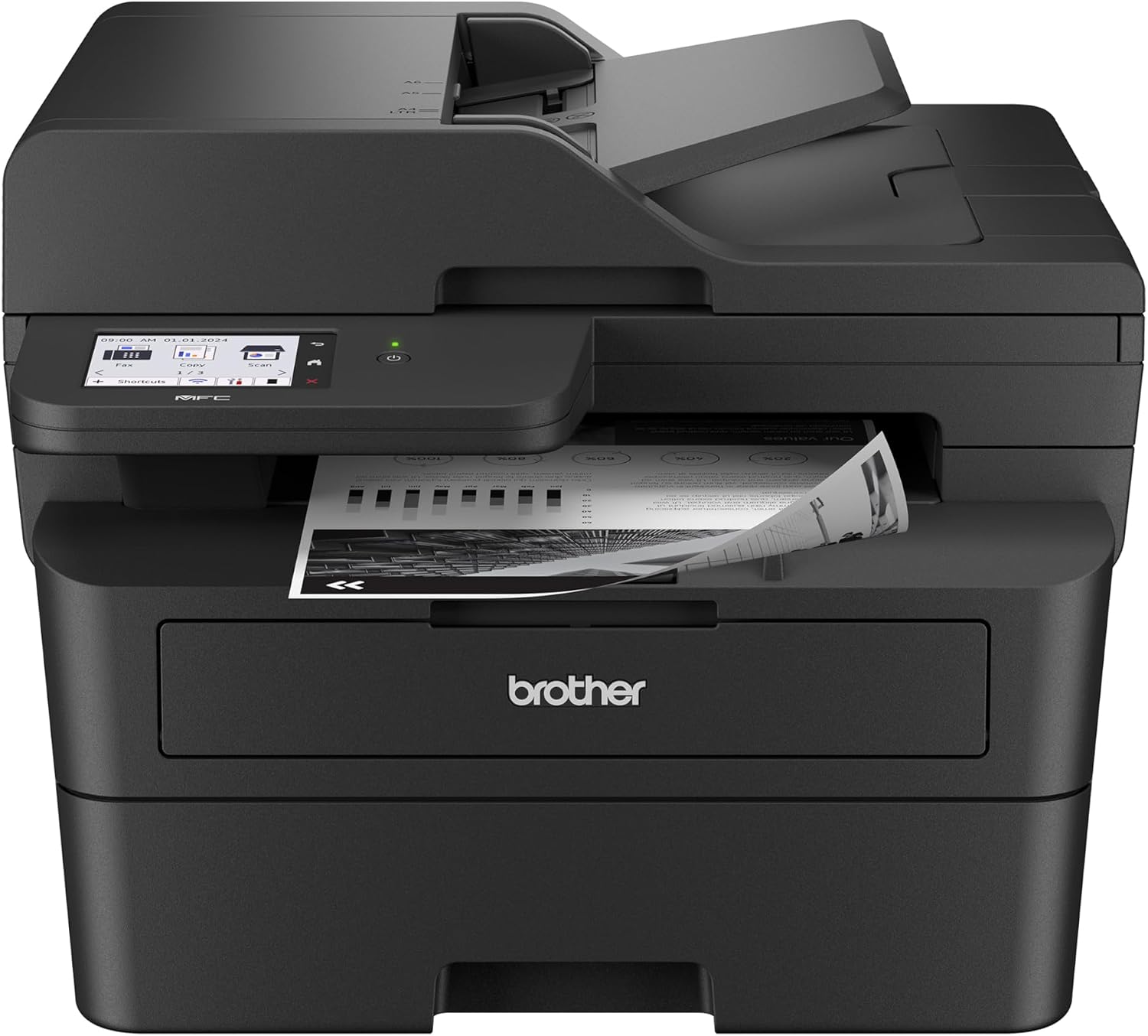
The MFC-L2900DW is our Best Mono Laser — the pick for a text-driven home office, and the machine that wins its tier on the strength of price, warranty and supply freedom rather than raw speed. It runs at 36 pages per minute and is a full all-in-one: print, scan, copy, and fax, with a 50-sheet feeder that scans both sides in one pass, a 3.5-inch touchscreen, and Wi-Fi, Ethernet, and USB. It uses inexpensive toner, with third-party TN830 cartridges widely available. The HP LaserJet 4101fdw is faster and, on genuine toner, cheaper by about a fifth of a cent a page — too small a gap to separate them on running cost, which is why the Brother’s lower sticker price and longer warranty take the tier. The only thing it can’t do is color, which for a text-heavy office is the right trade.
How We Scored It
Category Deep-Dives
Running Cost / Cost-Per-Page
7.0 / 10 25% weightingMonochrome laser is an inexpensive way to print black text, and the MFC-L2900DW is solid here — cheaper to run than any color laser or cartridge inkjet in our guide. Using genuine Brother toner, a black page costs about 5.08 cents on the standard TN830 cartridge, dropping to roughly 3.28 cents on the high-yield TN830XL (rated for about 3,000 pages). Buying the high-yield cartridge is the sensible move; as with all supply costs, verify current pricing before purchase.
On pure cost per page the HP LaserJet 4101fdw is still fractionally cheaper — about 4.86 cents standard against this machine’s 5.08, and 2.97 cents against 3.28 on high-yield toner. That gap is around a fifth of a cent, far too small to separate the two on running cost, and the Brother’s lower purchase price, three-year warranty and wider supply freedom carry it to the top of the tier instead.
Bottom line on running cost: Inexpensive text printing — about 5.08 cents standard, roughly 3.28 cents on high-yield toner — and well below any color or inkjet machine. Level with the HP 4101fdw on running cost to within a fifth of a cent, and ahead of it on price and warranty.
Print Quality
8.0 / 10 20% weightingFor text, the MFC-L2900DW is excellent. Laser printing lays down crisp, sharp, consistent black text that’s smudge- and water-resistant the moment it prints — the gold standard for documents, letters, and forms. Whether you’re printing a contract or a 40-page report, every page looks clean and professional.
The obvious limit is that it’s monochrome — black and white only. It can’t print color graphics or photos at all, which is why its print-quality score sits at “very good” rather than “exceptional”: on the text it can produce, it’s first-rate, but it simply doesn’t do color. If you occasionally need a color page, this isn’t the printer; if your printing is overwhelmingly text, its output is exactly what you want.
Bottom line on print quality: First-rate, crisp, durable black text — the best kind of output for documents. No color capability at all, which is the only thing keeping the score from going higher.
Speed & Paper Handling
8.5 / 10 15% weightingSpeed is a highlight. The MFC-L2900DW prints at up to 36 pages per minute — faster than any inkjet in our guide and quick enough to clear a long text document in well under a minute. Laser’s fast first-page-out from a warm start also suits the short, frequent jobs a home office runs all day.
Paper handling backs it up with automatic two-sided printing, a 50-sheet document feeder that scans both sides in a single pass, and a 250-sheet main tray. That single-pass duplex ADF is a real productivity feature for anyone who copies or scans multi-page, double-sided documents — combined with the 36-ppm print speed, it makes this a genuinely quick machine for getting through paperwork.
Bottom line on speed & paper handling: A fast 36 ppm with a single-pass duplex ADF and auto-duplex printing. One of the quickest, most capable paper-handlers in the guide.
Features & Connectivity
8.0 / 10 15% weightingDespite its focus on cheap text, the MFC-L2900DW is a fully-featured office all-in-one. It prints, scans, copies, and faxes, with a 3.5-inch color touchscreen for walk-up control and the single-pass duplex ADF for batch document work. Connectivity is complete and then some — dual-band Wi-Fi, Ethernet, and USB — with the 5 GHz Wi-Fi band a nice touch for busy home networks, plus Brother’s mobile printing.
For a text-focused machine, that’s a generous feature set: faxing, two-sided batch scanning, wired or wireless sharing, and PC-free copying are all covered. The only capability it lacks is color printing, and that’s by design. As an office document hub, it leaves little out.
Bottom line on features & connectivity: A complete all-in-one — print, scan, copy, fax, touchscreen, duplex ADF — with dual-band Wi-Fi, Ethernet, and USB. Everything but color, which it isn’t built for.
Consumable Freedom & Reliability
7.5 / 10 15% weightingThe MFC-L2900DW uses Brother’s TN830 toner, with a high-yield TN830XL that lowers the cost per page for higher-volume users — buy the XL and you get roughly 3,000 pages per cartridge. Third-party and remanufactured TN830 toner is also widely available for those who want a cheaper alternative to genuine cartridges, so there’s real flexibility in how you feed it.
On reliability, Brother’s monochrome laser all-in-ones have a long-standing reputation as dependable, high-duty office machines — the kind of printer that quietly works for years. Laser’s inherent advantage applies too: with no print head to clog, a machine that sits idle for a stretch starts right back up. It’s proven, low-maintenance hardware.
Bottom line on consumable freedom & reliability: Standard and high-yield toner options plus widely available third-party alternatives, backed by Brother’s dependable, low-maintenance laser reliability.
Value & Warranty
8.5 / 10 10% weightingThe MFC-L2900DW is strong value: an affordable purchase price, a full all-in-one feature set, and cheap high-yield toner add up to a low total cost of ownership for a text-heavy office. If most of what you print is black-and-white documents, few machines will cost you less over their life while doing this much.
It carries a 1-year limited warranty, standard for the category, with Brother’s support behind it. The main question isn’t whether it’s good value — it is — but whether you can live without color. If you can, this is one of the smartest buys in the guide; if you can’t, one of our color machines is the better fit.
Bottom line on value & warranty: Affordable to buy, cheap to run, and fully featured — excellent value for a text-driven office. Standard one-year warranty.
About the Manufacturer
Brother is one of the four major printer manufacturers, and monochrome laser is the heart of its reputation. The company has built a strong following for affordable, reliable black-and-white laser printers and all-in-ones that just keep working — the default recommendation for anyone whose printing is mostly text.
The MFC-L2900DW is a flagship of that lineup: a compact monochrome laser all-in-one with fax, a duplex ADF, and a touchscreen, built around the widely-used TN830 toner family with its high-yield option. It’s designed for the home office that wants fast, cheap, dependable document printing without paying for color it won’t use.
Brother’s monochrome lasers are a mainstay of our rankings for exactly that dependability and value, and the MFC-L2900DW is a top choice for a home office that wants a full mono all-in-one at a low price with widely available, inexpensive toner — just behind the faster, cheaper-per-page HP LaserJet 4101fdw in our mono ranking.