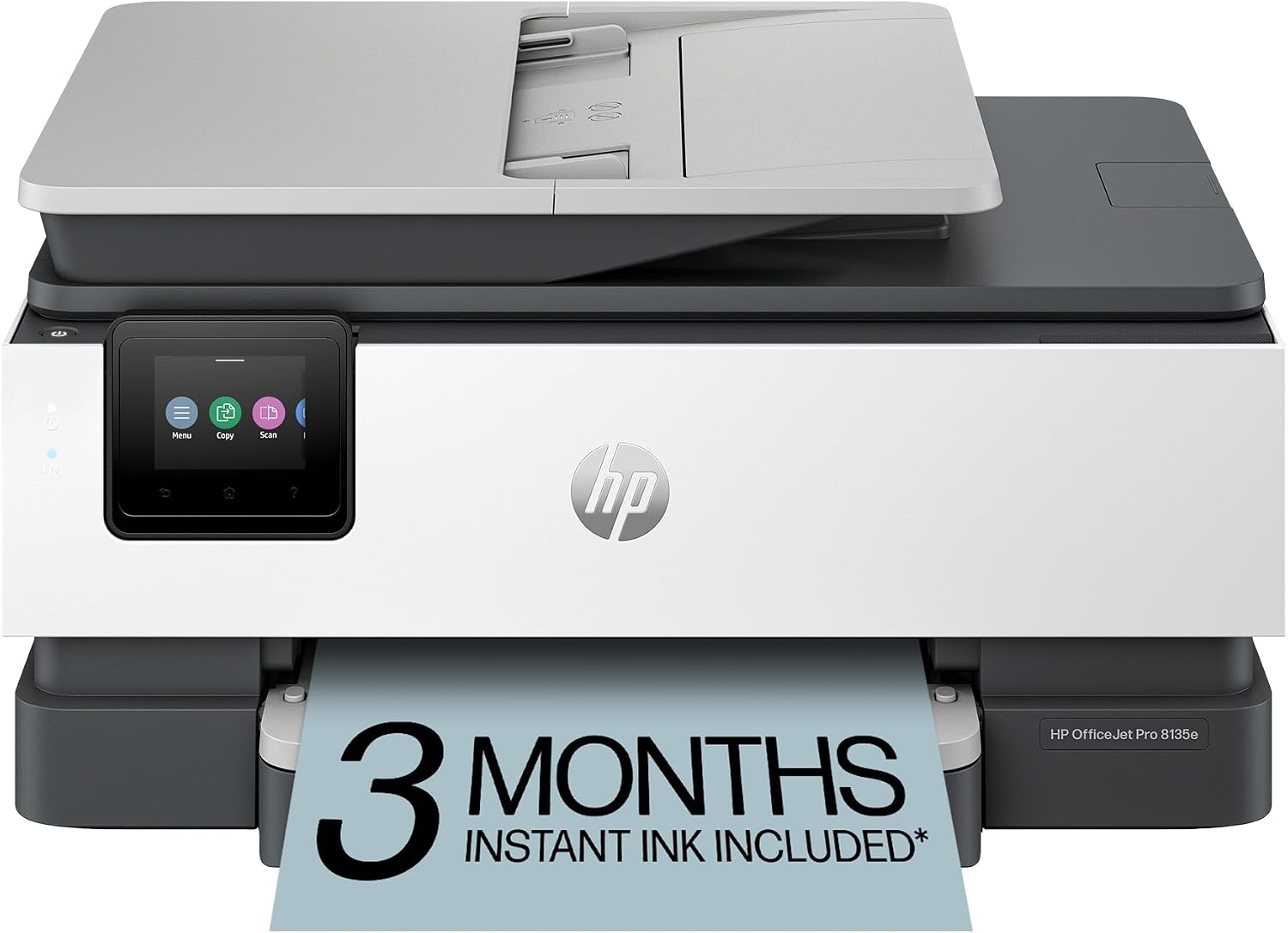
HP OfficeJet Pro 8135e
The OfficeJet Pro 8135e is the clearest illustration of this guide’s whole thesis: cheap to buy, costly to feed. It’s an inexpensive, capable little office all-in-one — print, scan, copy, fax, a touchscreen, auto-duplex, and full connectivity — and that low sticker price is genuinely appealing. But it uses small ink cartridges, so its running cost is among the highest of any color printer here: about 7.5 cents for a black page and nearly 35 cents for a color one. Its supply flexibility is also limited. If you print rarely and want the lowest upfront cost, it can make sense; print with any regularity and the ink will cost you far more than the printer ever did.
How We Scored It
Category Deep-Dives
Running Cost / Cost-Per-Page
5.5 / 10 25% weightingThis is the heart of the 8135e’s story and its lowest score alongside supply flexibility. It uses small HP 923 ink cartridges, and the running cost reflects it: a black page costs around 7.38 cents, and a color page runs about 22.17 cents — among the most expensive black pages of any printer in our guide. For a machine this affordable to buy, that’s the trade: the cost is shifted from the printer to the ink.
High-yield HP 923e cartridges lower the per-page cost versus the standard 923, and HP’s optional Instant Ink subscription can help for a steady monthly volume, though it adds a recurring charge worth weighing against your habits. But there’s no getting around the fundamentals: on our cost-weighted framework, small cartridges make this an expensive printer to run, and an ink tank costs a fraction as much per page. Verify current supply and subscription prices before buying.
Bottom line on running cost: Expensive to feed — roughly 7.4 cents a black page and about 22 cents in color on small cartridges. High-yield ink and Instant Ink help, but this is the “costly to feed” half of a cheap-to-buy printer.
Print Quality
7.5 / 10 20% weightingQuality is a bright spot relative to the price. The 8135e uses pigment inks that lay down clean, readable black text and decent color on everyday documents — good enough for the letters, forms, and reports a home office produces, and capable of respectable casual color and photos, which laser printers handle less gracefully.
It sits a touch below the step-up OfficeJet on outright quality — it’s the more budget-focused machine — but for the material most people print, output looks professional. On the quality dimension, you’re not making a big compromise for the low price.
Bottom line on print quality: Clean, readable documents and decent everyday color from pigment inks — solid quality for a budget office inkjet, a small step below the pricier OfficeJet.
Speed & Paper Handling
7.0 / 10 15% weightingThe 8135e is rated at 20 pages per minute in black and 10 in color. Black speed is fine for everyday jobs, but color is on the slow side — 10 ppm means a color-heavy document takes its time. For light-duty printing that’s livable; for volume, it’ll feel leisurely, and it’s slower than the step-up OfficeJet in this tier.
Paper handling covers the basics: automatic two-sided printing, a 35-sheet automatic document feeder for multi-page copies and scans, and a 250-sheet main tray. That’s a capable setup for a budget all-in-one and enough for a typical home office’s copying and scanning needs.
Bottom line on speed & paper handling: Reasonable 20-ppm black speed but slow 10-ppm color, with a 35-sheet ADF and auto-duplex. Fine for light duty; slower than the step-up model.
Features & Connectivity
8.0 / 10 15% weightingFor an affordable printer, the 8135e is well-equipped. It’s a full four-in-one — print, scan, copy, and fax — with a 2.7-inch color touchscreen, the 35-sheet ADF, and complete connectivity: Wi-Fi, Ethernet, and USB, plus HP’s mobile and app printing. Having a wired Ethernet option at this price is a genuine plus for a shared machine.
Faxing, multi-page copying and scanning, wired or wireless sharing, and PC-free operation from the touchscreen are all here. On features, it punches above its price — the capability is a big part of the appeal, and the reason to consider it despite the running cost.
Bottom line on features & connectivity: A full-featured all-in-one for the money — print, scan, copy, fax, touchscreen, ADF — with Wi-Fi, Ethernet, and USB. Strong capability at a low price.
Consumable Freedom & Reliability
5.5 / 10 15% weightingThis ties for the 8135e’s lowest score, for two supply-related reasons. First, as a cartridge printer it lacks a refillable tank’s flexibility — you replace sealed cartridges rather than topping up from cheap bottles, and the small 923 cartridges empty relatively quickly. Third-party and remanufactured 923-series ink exists, but that leads to the second, HP-specific point.
HP printers use a firmware feature HP calls Dynamic Security that can prevent the use of non-HP cartridges on models made after December 1, 2016 — and that includes this printer. In practice, a firmware update can cause the printer to reject a non-HP cartridge, so buyers who plan to use third-party ink should be aware of it and manage firmware updates accordingly. On reliability it’s a solid budget machine, though as with any inkjet the print head needs the occasional page to avoid clogging if it sits unused. The score reflects the documented supply constraints, and moves this sub-score only — not the printer’s quality, speed, or feature scores.
Bottom line on consumable freedom & reliability: Small cartridges and limited supply flexibility for third-party-ink users (see above) — the documented reasons this ties for the printer’s lowest score.
Value & Warranty
6.5 / 10 10% weightingThe 8135e’s value is all about the low purchase price, and whether it holds up depends entirely on how much you print. Buy it and use it lightly, and the cheap sticker price plus a full feature set is reasonable value. Buy it and print a lot — especially color — and the small-cartridge running cost quickly overtakes what you saved up front, and an ink tank would have been cheaper overall despite costing more to buy.
It carries a 1-year limited warranty, standard for the category. This is the textbook “cheap to buy, costly to feed” machine: a fine choice for occasional printing on a tight upfront budget, a poor one for volume. The optional Instant Ink subscription can improve the math for steady, predictable use.
Bottom line on value & warranty: Good value only for light, occasional printing where the low upfront price wins; poor value at volume, where the ink cost dominates. Standard one-year warranty.
About the Manufacturer
Jet
HP Inc. is one of the four major printer manufacturers and fields the broadest lineup of any of them, spanning laser printers, refillable Smart Tank models, and its long-running OfficeJet cartridge inkjets. The OfficeJet Pro range aims to put a compact, full-featured color all-in-one on a home-office desk at a low purchase price.
The 8135e (also sold as the 8135) is the budget-focused member of that range — a capable four-in-one built around HP’s small 923-series ink cartridges, with a high-yield option and an optional Instant Ink subscription. It undercuts the step-up 9125e on price while using smaller, more frequently replaced cartridges.
For a buyer who wants an inexpensive, full-featured HP office inkjet and prints only occasionally, it’s a reasonable choice — see our Consumable Freedom and Running Cost sections above for the supply and cost considerations that hold its score in amber.