Canon PIXMA TR4720
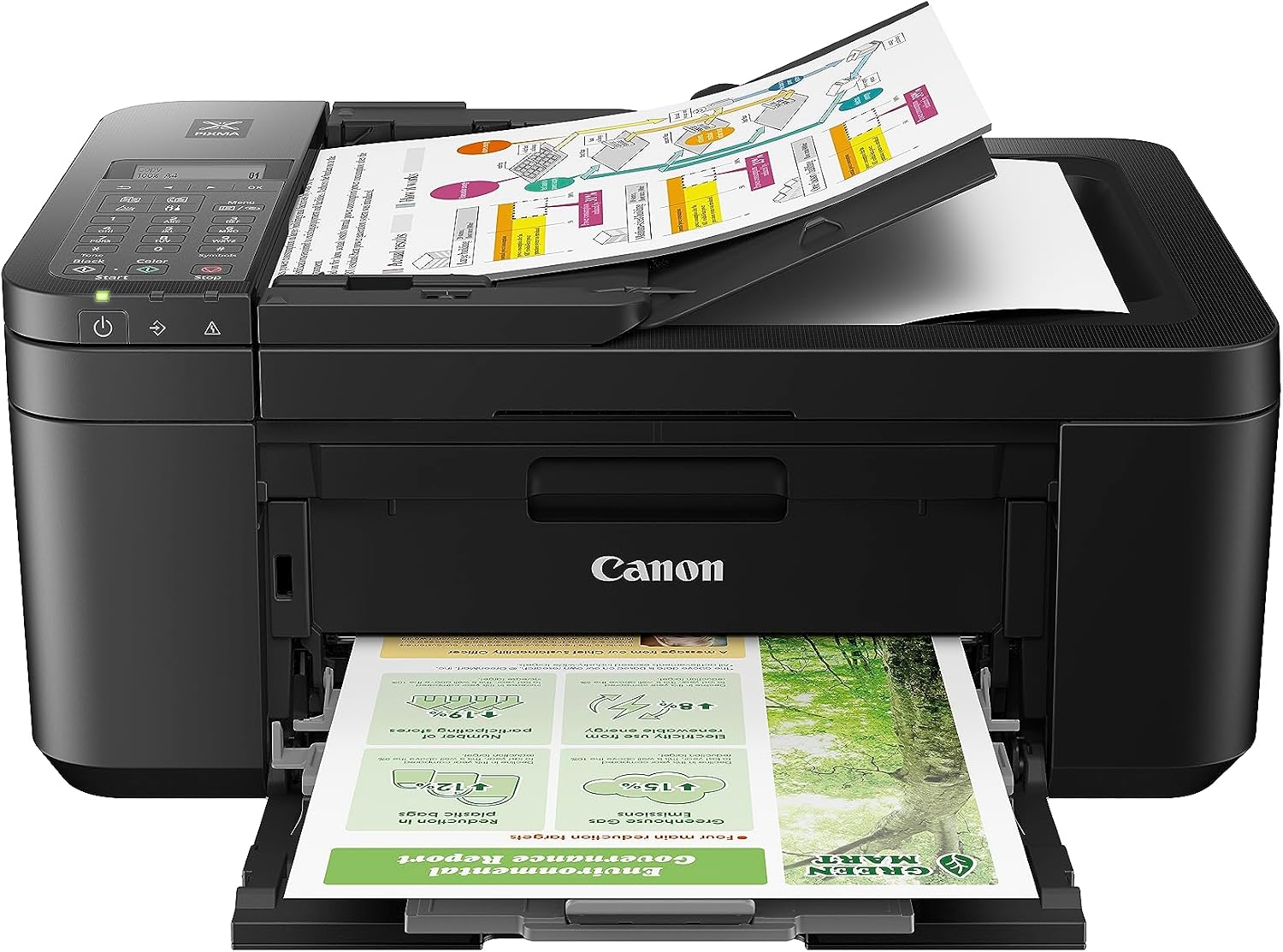
The PIXMA TR4720 is the printer that best proves this guide’s whole point. It’s remarkably cheap to buy — one of the least expensive all-in-ones you’ll find — and genuinely functional, with print, scan, copy, fax, an automatic document feeder, and auto-duplex printing. But its tiny ink cartridges make it, by a wide margin, the most expensive printer in our entire lineup to run: about 19 cents for a black page and 42 cents for a color one. Print a page or two a week and it’s a fine, affordable little machine. Print any real volume and the ink will cost you many times what the printer did — which is exactly why it anchors the bottom of our rankings.
How We Scored It
Category Deep-Dives
Running Cost / Cost-Per-Page
3.5 / 10 25% weightingThis is the lowest score we’ve given in the entire printer guide, and it’s the whole story of the TR4720. It uses very small ink cartridges — the standard PG-275 and CL-276 are each rated by Canon for only about 100 pages — and the result is a running cost in a class of its own. That works out to roughly 18.99 cents for a black page and 41.99 cents for a color page. For comparison, our top-ranked ink tank prints a black page for about a third of a cent; this printer costs roughly sixty-five times more per black page.
Put concretely: an office printing a few hundred pages a month could spend more on this printer’s ink in a single year than on the printer itself several times over — and dramatically more than a tank printer would cost to run over the same period. The high-yield PG-275XL and CL-276XL cartridges lower the cost somewhat and are essential if you buy this machine, but they don’t change the fundamental picture. This is the definitive “costly to feed” printer, and on a framework that weights running cost highest, it earns a red score here. Verify current ink prices before buying.
Bottom line on running cost: By a wide margin the most expensive printer to run in our guide — about 19 cents a black page and 42 cents in color on tiny cartridges. High-yield ink helps a little; nothing changes the fundamentals.
Print Quality
6.5 / 10 20% weightingFor a budget printer, quality is acceptable. The TR4720 produces readable black text and passable color for everyday documents, homework, and forms. It’s fine for the casual printing most buyers of a machine like this have in mind, and it can manage a basic photo in a pinch.
It doesn’t match the sharpness of the pigment-ink office inkjets or the crispness of a laser, and auto-duplex printing comes with a slight quality drop on the second side, but for its price and purpose the output is reasonable. Quality isn’t where this printer falls down — running cost is.
Bottom line on print quality: Acceptable, readable output for everyday budget printing. Not as sharp as the office inkjets or a laser, but fine for casual use.
Speed & Paper Handling
5.5 / 10 15% weightingSpeed is slow, as expected at this price: about 8.8 pages per minute in black and 4.4 in color. That’s fine for printing a handful of pages at a time, but a chore for anything longer — a color-heavy document will keep you waiting. It’s the slowest cartridge inkjet in our guide.
Paper handling covers the basics for a compact machine: automatic two-sided printing, an automatic document feeder for multi-page copies and scans, and a 100-sheet tray. Note the ADF scans one side at a time — there’s no automatic two-sided scanning, so double-sided originals mean flipping pages yourself. For light-duty use it’s adequate; it’s not built for volume.
Bottom line on speed & paper handling: Slow at 8.8/4.4 ppm, with a basic ADF (single-sided scan) and auto-duplex printing. Adequate for light use, sluggish for anything more.
Features & Connectivity
7.0 / 10 15% weightingThis is, surprisingly, the TR4720’s strongest area — it packs a lot of function into a very cheap package. It’s a full four-in-one: print, scan, copy, and fax, the last a genuine standout at this price, since many budget printers drop it. It also includes an automatic document feeder and auto-duplex printing, so it handles multi-page and two-sided jobs a bare-bones printer can’t.
Where it economizes is the interface and connectivity: a basic 2-inch monochrome display rather than a touchscreen, and Wi-Fi (2.4 GHz) plus USB with no Ethernet and no 5 GHz band. Mobile printing via AirPrint, Mopria, and Canon’s app is supported. For a home user who wants fax and an ADF on a tight budget, the feature set genuinely over-delivers for the price.
Bottom line on features & connectivity: A full four-in-one with fax and an ADF at a rock-bottom price — real capability. Basic controls and Wi-Fi-only connectivity are the compromises.
Consumable Freedom & Reliability
7.0 / 10 15% weightingOn supply flexibility, the TR4720 does reasonably well for a cartridge printer. It uses Canon’s PG-275 and CL-276 ink, and third-party and remanufactured versions of these popular cartridges are widely available and inexpensive — a common way owners offset the high cost of genuine ink — with no cartridge-authentication lock-in to work around. The catch, of course, is that the cartridges themselves are tiny, so even cheap ones empty quickly.
On reliability, it’s a simple, proven budget design; as with any inkjet used infrequently, running an occasional page helps keep the print head from clogging, which matters for a printer likely to sit between uses. It carries a one-year limited warranty, standard for the category. Supply flexibility is a relative bright spot here — it’s the running cost, not the freedom to choose ink, that defines this machine.
Bottom line on consumable freedom & reliability: Widely available, inexpensive third-party ink options and no authentication lock-in — supply flexibility is decent. The small cartridge size, not the freedom, is the problem.
Value & Warranty
6.0 / 10 10% weightingThe TR4720’s value hinges entirely on how little you print. As a very inexpensive, full-featured machine with fax and an ADF, it’s reasonable value for someone who prints rarely — a few pages a week, the occasional form or fax — and wants to spend as little as possible up front. For that specific buyer, it does the job.
For anyone else, it’s poor value, and the running-cost math is unforgiving: print regularly and you’ll spend far more on ink than an ink tank would have cost you to buy and run combined. It carries a 1-year limited warranty, standard for the class. Our honest guidance: buy the TR4720 only if your printing is genuinely occasional and upfront cost is your priority. If you print more than that, an ink tank will save you money quickly — even our budget-tank Best Value pick would pay for itself against this printer’s ink in short order.
Bottom line on value & warranty: Reasonable value only for genuinely occasional printing on a tight upfront budget. For any regular use, a tank saves far more than its higher price. Standard one-year warranty.
About the Manufacturer
Canon is one of the four major printer manufacturers, with a lineup spanning color laser all-in-ones, refillable MegaTank supertanks, and its long-running PIXMA consumer inkjets. The PIXMA range covers everything from photo printers to budget office all-in-ones, and the TR-series sits at the affordable, compact end aimed at home use.
The TR4720 is a current entry-level PIXMA all-in-one — a genuinely inexpensive four-in-one with fax and an ADF, built around Canon’s small PG-275 and CL-276 cartridges. Canon’s strengths elsewhere in our guide are its MegaTank supertanks and imageCLASS color lasers; the TR4720 is the budget-cartridge counterpoint, and a useful illustration of why cartridge economics matter.
For a buyer who prints only occasionally and wants the lowest possible purchase price with real all-in-one features, it’s a reasonable pick — but anyone printing regularly should look at Canon’s own MegaTank line or another tank printer to avoid the running cost.