ScreenBar Halo
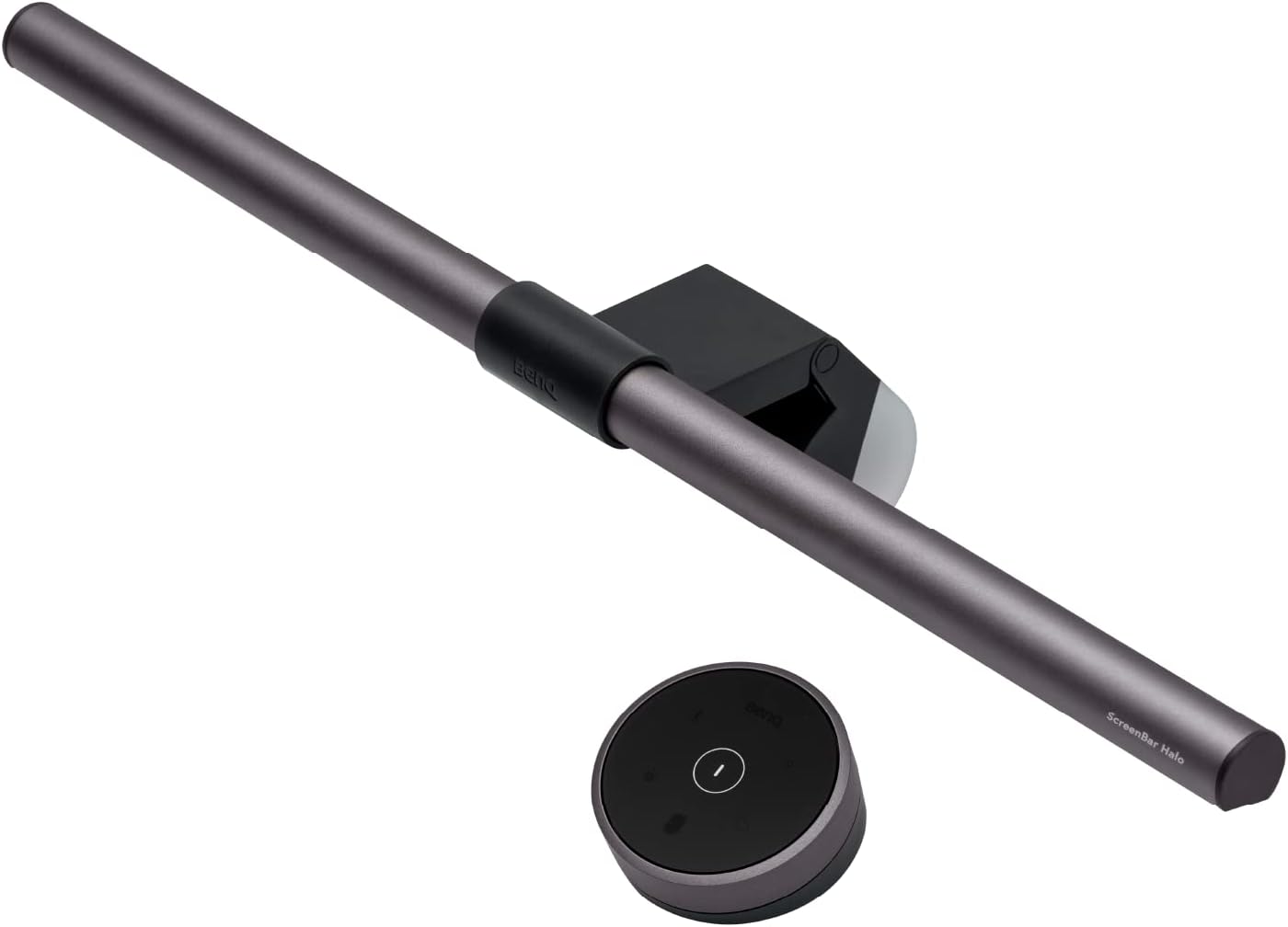
The BenQ ScreenBar Halo earns its #2 ranking by combining everything the ScreenBar Pro does — CRI 95, IEEE PAR 1789-passed flicker-free, continuous dimming, asymmetric front optics — with a rear-facing LED array that adds bias lighting behind your monitor. For users who spend long sessions in front of a screen in a darkened room, this rear illumination is a genuine eye comfort upgrade, not a cosmetic feature. The higher price is the only meaningful reason to choose the Pro over the Halo.
How We Scored It
Category Deep-Dives
Light Quality
9.5 / 10 30% weightingThe ScreenBar Halo matches the Pro’s CRI 95 specification and 2700–6500K color temperature range. Maximum front lux output is rated at 1,000 — the same as the Pro, meeting the ANSI-recommended office lighting standard comfortably. The asymmetric front optic is identical in principle to the Pro: all light directed onto the desk, zero light falling on the monitor face.
The 9.5 rather than 10.0 is a marginal distinction — the Halo is not technically inferior to the Pro on front light quality. The rear bias lighting, while useful, operates at a fixed warm white color temperature rather than the full adjustable range, creating a minor asymmetry in the overall light system. This is a design choice rather than a flaw, but it means the rear light cannot be color-matched precisely to the front light across the full 2700–6500K spectrum.
Bottom line on light quality: CRI 95, 1,000 lux, asymmetric front optic — everything the Pro delivers at the front, plus rear bias lighting at a fixed warm white. One of the strongest light quality specifications in this guide.
Adjustability & Control
9.5 / 10 25% weightingThe Halo includes a physical wireless desk controller — the feature that costs extra on the ScreenBar Pro — bundled as standard. This is a meaningful inclusion: the rotary dial sits on your desk and allows brightness and color temperature adjustment without reaching to the monitor top. Front brightness offers 8 presets plus continuous adjustment.
Rear bias lighting is independently controllable with its own warm brightness dial. The dual-channel control system adds complexity but is well-implemented. Physical monitor compatibility is the same range as the Pro — 0.17–2.56 inch monitor thickness — accommodating the full range of modern flat-panel monitors including ultra-thin displays.
The bundled desk controller meaningfully improves day-to-day usability. Users of the base ScreenBar must reach up to touch controls on the bar itself; Halo users adjust everything from their desk surface without interrupting workflow.
Bottom line on adjustability: The bundled wireless desk controller is a genuine quality-of-life improvement over reaching for controls on the bar. Independent front and rear brightness channels give precise control over both light zones.
Eye Comfort
10.0 / 10 20% weightingThe Halo’s defining eye comfort contribution — and its primary differentiation from the rest of the ScreenBar lineup — is the rear LED array. Bias lighting behind the monitor reduces the contrast ratio between the bright monitor face and the surrounding dark wall, which is a documented factor in screen-related eye strain during long sessions in dim rooms.
The mechanism is well-established in display research: the human visual system adapts its sensitivity based on the average brightness of the surrounding field. A bright monitor against a completely dark wall creates a high local contrast that increases visual fatigue over extended sessions. Introducing a moderate, diffuse light source behind the monitor raises the ambient brightness of the peripheral field without adding glare to the desk or the monitor face.
The IEEE PAR 1789-passed flicker-free front LEDs carry over from the ScreenBar Pro. The combination of IEEE 1789-passed flicker-free front task lighting and rear bias illumination represents the most complete eye comfort specification in this guide. Perfect score.
Bottom line on eye comfort: The most complete eye comfort specification in this guide. Flicker-free certified front lighting plus rear bias illumination address the two primary sources of display-related visual fatigue simultaneously.
Build & Design
9.0 / 10 15% weightingThe Halo is physically larger than the standard ScreenBar and ScreenBar Plus, with a wider bar profile to accommodate the rear LED array. Build quality is consistent with BenQ’s accessory lineup. The counterbalanced clip is stable and adjustable, maintaining position across the range of compatible monitor thicknesses without slipping or requiring periodic readjustment.
The included desk controller is solid and well-weighted — not a lightweight plastic accessory but a substantive object that sits stably on a desk surface. The design is intentional: slightly more visually prominent than other screen bars, which is appropriate given its dual-light function. The wider bar profile is noticeable but not obtrusive.
Bottom line on build: Larger than other ScreenBar models by necessity, but well-executed. The desk controller quality matches the bar quality — this does not feel like an accessory that was bundled to justify a price increase.
Value
6.5 / 10 10% weightingThe Halo is priced significantly higher than the ScreenBar Pro. The incremental features over the Pro are: the bundled desk controller and the rear bias lighting system. Whether those additions justify the price premium is user-specific.
For buyers who work in a dimmed or dark room and experience screen fatigue, the bias lighting is a functional investment with a documented mechanism of action. For buyers working in a normally lit room where ambient light reduces monitor contrast naturally, the Halo’s premium is harder to justify — the rear bias lighting provides marginal benefit when the room itself already provides ambient illumination behind the monitor.
The 6.5 reflects this narrow-use-case value argument at the price point. The Halo is not overpriced for what it is — it’s priced correctly for its specification — but its primary differentiating feature delivers diminishing returns in well-lit environments, which limits the breadth of buyers for whom it represents the best value choice.
Bottom line on value: The bias lighting premium is well-spent for dark-room workers; less justified for buyers in normally lit offices. If you’re evaluating purely on front light quality and control, the ScreenBar Pro delivers the same performance at significantly lower cost.
About the Manufacturer
Q
BenQ Corporation was founded in 2001 in Taipei, Taiwan, as a spinoff from Acer Group. The company invented the monitor light bar category in 2017 with the original ScreenBar. The ScreenBar Halo represents BenQ’s response to a specific user insight: that in a dark workspace, even a perfectly calibrated front desk lamp leaves a high-contrast edge between a bright monitor and a dark wall behind it. The rear bias LED array addresses this directly.
BenQ sells the ScreenBar lineup through Amazon, its own website, and major electronics retailers. The Halo carries BenQ’s standard warranty and is manufactured to the same quality specifications as the full ScreenBar product family. The ScreenBar line remains BenQ’s most widely recognized consumer accessory product and has accumulated substantial independent review coverage confirming the flicker-free and CRI specifications cited in this guide.