34WQ75C-B
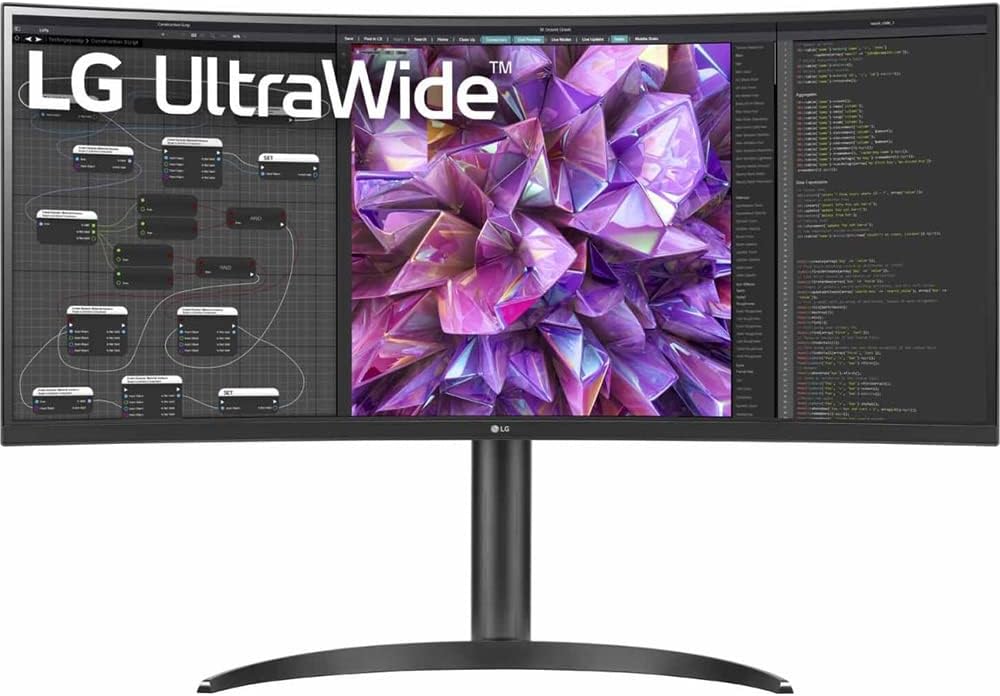
The LG 34WQ75C-B is the value ultrawide pick in our guide — the entry point to the 34-inch curved format for home office users who want the ultrawide workflow without paying a flagship premium. USB-C at 96W charges most laptops over a single cable, the 1900R curved panel is well-matched to desk depth, and the fully adjustable stand covers all four ergonomic axes. The trade-offs are real: UWQHD pixel density is a step down from 4K, the panel is standard IPS rather than IPS Black, and 60Hz is the ceiling. But at its mid-range price, it brings the ultrawide experience to a point where the U4025QW’s flagship ask is genuinely hard to justify for many home offices.
How We Scored It
Category Deep-Dives
Image Quality
7.5 / 10 30% weightingThe 34WQ75C-B uses a standard IPS panel at 3440×1440 (UWQHD) resolution across 34 inches. At this size and resolution, pixel density is approximately 110 PPI — functional and acceptable for general use, but noticeably less sharp than 4K at the same screen size. Users coming from a 27-inch 4K monitor will perceive the difference: text on the LG is softer at equivalent pixel sizes, and fine UI elements show more visual grain. This is not a fatal limitation — the display is perfectly readable, and most people adapt within a few hours — but it is a real trade-off that distinguishes UWQHD from 4K or 5K at a similar price point.
Color performance is solid for a monitor in this price range. Standard IPS delivers wide viewing angles and consistent color reproduction across the panel. The 1900R curvature at 34 inches is appropriate — aggressive enough to reduce perspective distortion at the outer edges of the ultrawide format without producing the funhouse-mirror effect of tighter curves. The panel is not factory-calibrated to Delta E specifications, but measured performance typically lands below Delta E 2 for sRGB content. For color-critical work, the BenQ PD2725U’s Calman Verified calibration offers a substantially higher standard; for general productivity work, the LG is adequate.
Brightness at 300 nits typical is below the 400–600 nit figures of premium monitors in our guide, and will feel insufficient in environments with direct sunlight or strong ambient light. For a shaded home office or a room where ambient light is controllable, 300 nits is workable. The image quality score of 7.5 reflects honest panel quality at the price point — good, not exceptional, and with a clear pixel density step-down versus 4K alternatives.
Bottom line on image quality: Solid standard IPS at UWQHD with appropriate curvature. The 7.5 reflects the pixel density gap versus 4K rather than any deficiency in the panel itself — the LG performs well for its class. Users who need 4K crispness should look at the Dell U4025QW or wait until they can stretch the budget.
Connectivity & Versatility
8.0 / 10 22% weightingThe 34WQ75C-B’s connectivity score of 8.0 reflects a genuinely useful feature set for its price tier. The 96W USB-C upstream port is the key selling point: at 96W, it charges the majority of laptop configurations — MacBook Air, 13-inch MacBook Pro, Dell XPS 13 and 15, and most Windows thin-and-lights — without requiring a separate power adapter. This is the “one cable” laptop experience that most home office users are looking for, delivered at a price point where Thunderbolt 4 alternatives cost two to four times as much. Critically, the USB-C implementation here is standard DisplayPort Alt Mode rather than Thunderbolt — it does not support daisy-chaining additional displays, and USB bandwidth is capped at USB 3.2 Gen 1 speeds.
Video input flexibility is adequate: alongside USB-C, the 34WQ75C-B provides two HDMI 2.0 ports and DisplayPort 1.4. This is a meaningful advantage over monitors that prioritize USB-C to the exclusion of all else — gaming consoles, desktop PCs without Thunderbolt, and older laptops can all connect without adapters. The downstream USB hub — two USB-A ports and one USB-C at 10W — is functional for keyboards, mice, and charging phones, though the 10W downstream USB-C is not meaningful for charging laptops.
There is no built-in webcam, no Ethernet, and no KVM switch — features that differentiate the flagship Dell U4025QW at several times the price. For a monitor in this price range, their absence is expected rather than surprising. The connectivity score reflects what the 34WQ75C-B does do well: solid USB-C docking at 96W, good video input variety, and a hub that handles peripheral connections without requiring an external dock for most users.
Bottom line on connectivity: 96W USB-C makes the 34WQ75C-B a viable single-cable docking solution for most laptops at a competitive price. The USB-C is not Thunderbolt, but at this price tier, that distinction is correctly priced into the value proposition. Good coverage; not a premium implementation.
Value for Money
8.5 / 10 20% weightingThe 34WQ75C-B earns the highest value score among ultrawide monitors in our guide, and it is straightforward to explain why. At its mid-range price, it is the only monitor on our list that delivers the full ultrawide format with USB-C 96W charging at this price. The ultrawide productivity workflow — reference windows side by side, application and document palettes open simultaneously, video editing timelines at full width — is available here without a flagship-level investment. For users who have been curious about the format but reluctant to commit at flagship pricing, the 34WQ75C-B is the right monitor to test the assumption.
The value score implicitly accepts the format trade-offs: UWQHD instead of 4K, standard IPS instead of IPS Black, 60Hz instead of 120Hz, no webcam or Ethernet. These are not defects — they are the legitimate differences between a mid-range monitor and a flagship one, and the 8.5 value score reflects that the LG delivers its specification set honestly and competitively within its class. The comparison to the Dell U4025QW at three times the price is instructive: the U4025QW is better in almost every measurable dimension, but most of that gap is at the high end where diminishing returns set in. The 34WQ75C-B is the point at which the ultrawide format begins delivering real productivity value for the money spent.
Bottom line on value: The best value ultrawide in our guide by a significant margin. At its mid-range price, it makes the ultrawide workflow accessible to home offices that cannot or should not spend flagship money on a display. The trade-offs are real and known; the value they represent at this price is also real.
Ergonomics & Build
8.0 / 10 15% weightingLG has consistently delivered strong stand adjustability at competitive price points, and the 34WQ75C-B maintains that standard. The stand provides height adjustment, tilt, and swivel — covering the three most important ergonomic axes for a primary monitor. Pivot (portrait rotation) is absent and irrelevant at 34 inches curved; this is not a meaningful limitation. VESA 100×100mm compatibility is present for users who prefer aftermarket monitor arms. The 34-inch ultrawide format typically weighs in the 6–8kg range without the stand, compatible with most standard VESA arms.
Build quality is solid for the price tier: matte plastic chassis with a stable base, minimal flex in the panel surround, and a well-damped stand mechanism. The bezel is thin on top and sides, slightly thicker at the bottom where the OSD joystick and power button are located. LG’s OSD is navigated via a single joystick control on the rear — functional and fast to use once learned. The overall construction does not match the premium feel of Dell’s UltraSharp line, but it is appropriate for the price and shows no quality shortcuts that would affect long-term durability.
Bottom line on ergonomics and build: Full height, tilt, and swivel adjustability with VESA compatibility at this price. LG’s ergonomic stand quality is a genuine differentiator within this price tier — many competing monitors in this price range ship with tilt-only stands. The 8.0 reflects strong value for the category.
Eye Comfort
8.0 / 10 8% weightingThe 34WQ75C-B includes LG’s Reader Mode — a hardware-level low blue light filter that shifts the color temperature toward warmer tones to reduce short-wavelength emission during extended reading and document work sessions. This is functionally similar to the low blue light modes available across most monitors in our guide, implemented at the display hardware level rather than as a software color overlay. Reader Mode degrades color accuracy, as all such modes do, and is best used in document-heavy workflows rather than color-sensitive work.
The backlight is flicker-free with DC dimming, which eliminates the PWM cycling that can contribute to eye fatigue at lower brightness levels. The 1900R curvature reduces peripheral edge distortion at the natural reading distance for a 34-inch panel, making the outer columns of an ultrawide layout easier to focus on without head movement. The anti-glare matte coating is effective at diffuse reflections without introducing heavy grain. The minimum brightness floor is adequate for dim evening environments, though LG’s minimum brightness specifications in this tier are not as low as the leading Dell models.
Bottom line on eye comfort: Flicker-free backlight, effective Reader Mode, and appropriate curvature for a 34-inch format. Standard implementation across the board — no standout features, but no deficiencies either. The 8.0 is a solid score that reflects a well-executed baseline.
Refresh Rate & Responsiveness
6.0 / 10 5% weightingThe 34WQ75C-B is a 60Hz monitor, which is the baseline refresh rate for productivity work and the least compelling specification in its category. At this price point, 60Hz is expected — delivering 120Hz at UWQHD over USB-C at this price is not a configuration the market commonly offers in 2026. The 6.0 refresh rate score reflects the honest limitation without over-penalizing a monitor that was never positioned as a high-refresh product. Day-to-day document and browser work at 60Hz is acceptable; users transitioning from a 120Hz display will notice the difference in scrolling smoothness.
There is no Adaptive-Sync (FreeSync or G-Sync) support — the 34WQ75C-B is a strictly productivity-oriented panel with no gaming-adjacent features. For the home office user this review is addressed to, the absence of variable refresh rate is a non-issue. Response time is adequate for all productivity applications with no visible ghosting under normal use.
Bottom line on refresh rate: 60Hz is the expected and acceptable baseline for a value ultrawide at this price. The 6.0 score reflects the limitation honestly — if 120Hz matters to your workflow, you need to step up to the Dell U4025QW, which delivers it at 5K2K across 40 inches at flagship pricing.
About the Manufacturer
Elec
LG Electronics was founded in South Korea in 1958, initially under the name Goldstar, before rebranding as LG (Lucky-Goldstar) in 1995. The company’s display division — LG Display — is one of the world’s largest manufacturers of LCD and OLED panels, supplying display technology not only for LG’s own products but for many other monitor and TV brands. This vertical integration gives LG deep control over panel quality and technology development in a way that few monitor brands can match.
LG’s consumer monitor lineup covers a wide range from entry-level 1080p panels to professional-grade 5K and ultra-wide displays. The brand has distinguished itself in the home office segment through consistent stand ergonomics — most LG monitors in the productivity tier ship with full height, tilt, swivel, and pivot adjustability even at mid-range price points — and through early and consistent adoption of USB-C connectivity across their lineup. The WQ series, of which the 34WQ75C-B is part, targets productivity ultrawide users at accessible price points, a segment LG has competed in successfully for several product generations.
LG monitors are sold through major retailers, LG’s own online store, and on Amazon. LG provides a standard 3-year on-site warranty for their monitor lineup, which covers panel defects including zero bright pixel guarantee on select models — a competitive warranty offering at this price tier.