Facecam Pro
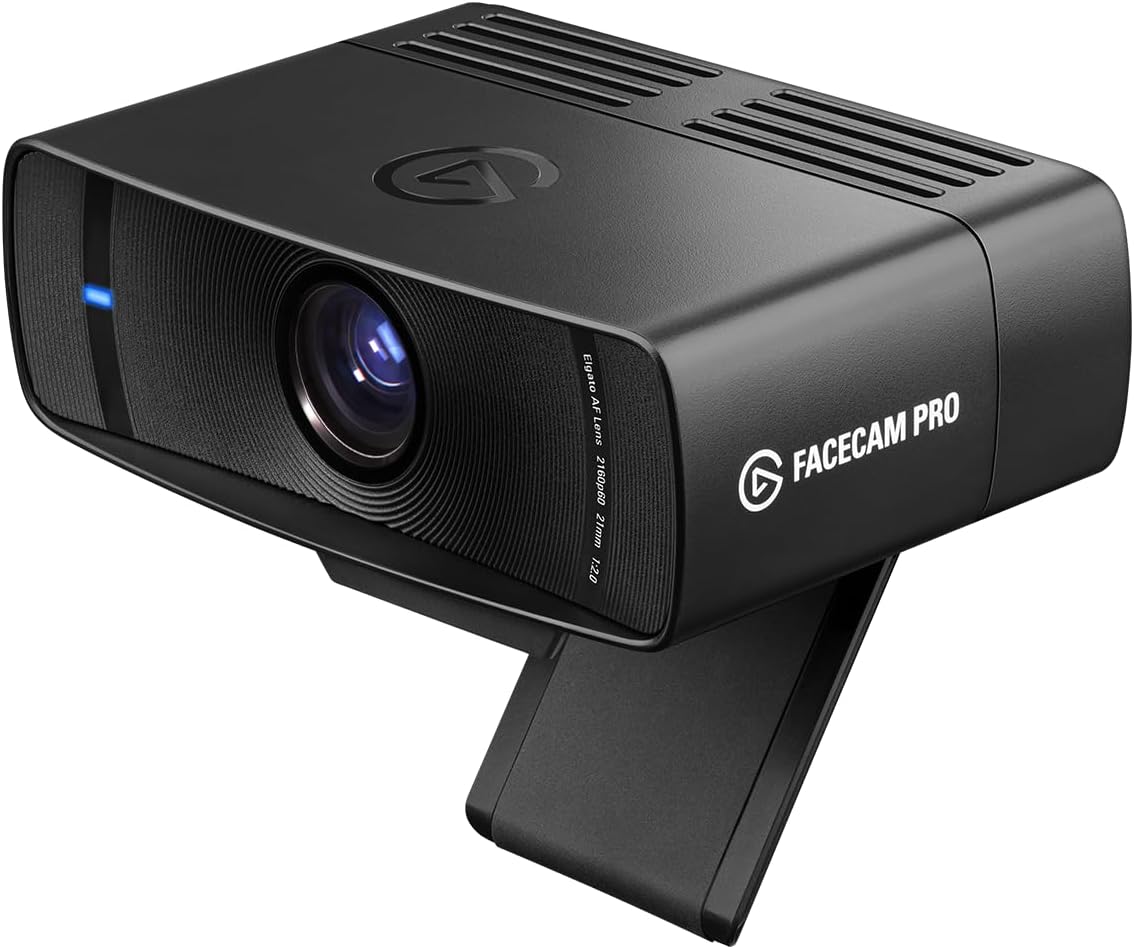
The Facecam Pro delivers the best image quality of any webcam we’ve reviewed — 4K at 60fps with a large Sony Starvis sensor and manual controls that put it in a different class for content creation. The trade-off is explicit: there’s no built-in microphone. If you have a dedicated mic, this is the standout choice. If your webcam needs to handle audio for video calls, look at the MX Brio 705 instead.
How We Scored It
Category Deep-Dives
Image Quality
9.5 / 10 30% weightingThe Facecam Pro is the only 4K webcam in our guide delivering 60fps output — every other 4K webcam in the category caps at 30fps. For video calls, the frame rate difference is imperceptible; for content creation — streaming, YouTube, tutorial recording — 60fps produces meaningfully smoother footage that reads as noticeably more professional. This single specification sets the Facecam Pro apart from every competing webcam at any price point.
The 1/1.8″ Sony Starvis sensor is large for the webcam category, second only to the Razer Kiyo Pro Ultra’s 1/1.2″ sensor among the webcams in our guide. The Starvis family uses back-illuminated pixel architecture to maximize light capture, translating to strong low-light performance and clean, well-saturated images in the challenging mixed-lighting conditions typical of home offices. At f/2.0, the fast fixed aperture further aids low-light performance.
What distinguishes the Facecam Pro’s image system from all competition is the depth of manual control exposed through Elgato Camera Hub: shutter speed, ISO, white balance, and focus are individually adjustable — a DSLR-style parameter set that no competing webcam provides in the same depth. For users who know how to use these controls, the Facecam Pro’s output ceiling is the highest of any webcam we’ve evaluated. The 9.5 reflects a genuine class lead.
Bottom line on image quality: The only 4K/60fps webcam in the category, with a large Sony Starvis sensor and full manual controls via Camera Hub. The highest image quality ceiling of any webcam we’ve reviewed — by a clear margin for content creation use.
Audio Performance
6.0 / 10 25% weightingThe Facecam Pro has no built-in microphone. This is a deliberate design choice reflecting Elgato’s content-creator positioning — the assumption is that users have or will add a dedicated microphone, whether a USB desk mic, a headset, or a microphone connected through an audio interface. In that context, the omission is rational: a serious content creator is not relying on a webcam microphone regardless.
In a home office context where the webcam serves as the primary audio input for video calls, the missing microphone is a significant limitation that requires an additional purchase to resolve. Unlike the Logitech MX Brio 705 or the Razer Kiyo Pro Ultra — both of which include capable integrated microphone systems — the Facecam Pro cannot function as a complete video call solution on its own. The 6.0 score reflects this constraint honestly: the hardware provides no audio capability whatsoever, and the impact on category scoring is proportional to audio’s 25% weighting.
Users with an existing microphone setup — USB desk mic, headset, audio interface with a dynamic or condenser mic — will find this category score largely irrelevant to their real-world experience. The decision point is whether you are buying a webcam to replace or complement your existing audio setup, or buying a combined webcam-and-microphone solution for calls.
Bottom line on audio performance: No built-in microphone. The right call for content creators with existing audio gear; a meaningful limitation for home office users expecting an all-in-one solution for video calls. If audio integration matters, look at the Logitech MX Brio 705 instead.
Usability & Features
9.0 / 10 20% weightingElgato Camera Hub is the strongest webcam software in our evaluation by a meaningful margin. Where competing applications offer limited auto-only adjustments or basic sliders for brightness and contrast, Camera Hub exposes the camera’s full imaging pipeline as individually adjustable parameters: shutter speed, gain (ISO equivalent), white balance, and focus. Each can be set manually or returned to automatic independently. The interface is clean, stable, and available on both Windows and macOS — a professional tool that respects the user’s intent to dial in a specific look.
The 90° fixed field of view is appropriate for solo home office and streaming setups and covers the standard desk-based framing scenario without clipping or excessive background inclusion. The fixed FOV is a constraint — there is no software-adjustable digital zoom or FOV narrowing — but 90° is a reasonable default for the target use case. No auto-framing feature is present; Elgato’s philosophy prioritizes manual control over automated AI assistance. For users who want precise, repeatable framing they set once, this is the correct trade-off.
The USB-C connection is a practical advantage. Plug-and-play operation is reliable across Windows and macOS without driver installation; Camera Hub is optional enhancement rather than a functional requirement. The camera is straightforwardly recognized by all major video conferencing platforms — Zoom, Teams, Google Meet — without additional configuration. There is no privacy shutter, which is worth noting for users with specific security requirements, but the absence has no effect on day-to-day usability for the majority of home office deployments.
Bottom line on usability and features: Camera Hub is the best webcam software in the category, exposing DSLR-level manual control in a clean, stable application. Elgato’s philosophy of precise manual control over automated AI assistance makes this the right tool for users who want to configure once and rely on consistency.
Value
7.5 / 10 15% weightingThe Facecam Pro is premium-priced hardware commensurate with the 4K/60fps specification and the Sony Starvis sensor. The value case is strongest for users who specifically need what the Facecam Pro uniquely provides: 4K video at 60fps, which no competing webcam offers, and manual image control depth that competitors do not match. For video content production — streaming, YouTube, tutorial recording — the Facecam Pro’s advantages over alternatives are clear and the premium is well-justified.
For users whose primary use case is video calls, the value calculation is less favorable. The Razer Kiyo Pro Ultra (8.8/10, ranked #2) delivers a larger 1/1.2″ sensor, built-in audio integration, and stronger all-conditions imaging performance for call quality specifically. The Logitech MX Brio 705 (9.2/10, ranked #1) includes dual beamforming microphones, AI framing, and a privacy shutter — a more complete solution for the call-focused home office. The Facecam Pro’s missing microphone also represents a real additional cost for call-only users who need to add a dedicated audio input.
The 7.5 reflects strong value for the content creation use case; moderate value for call-focused buyers who would find the Razer or Logitech alternatives more complete at similar or lower effective cost when audio is factored in.
Bottom line on value: Best value for content creators who need 4K/60fps and manual image control — those are genuinely exclusive to this product. For call-first home office users, the missing microphone and absence of AI framing make the Logitech MX Brio 705 or Razer Kiyo Pro Ultra stronger choices at similar price points.
Physical Design
9.0 / 10 10% weightingThe Facecam Pro is built to a higher material standard than the webcam category norm. The housing combines aluminum and quality plastic in a construction that feels substantially more refined than consumer-grade competitors — there is no perceptible flex, no cheap-feeling finish. The aesthetic is clean and professional: a matte, minimal enclosure that does not read as consumer electronics on a desk. The build quality reflects Elgato’s premium positioning in the streaming and content creation market.
The universal monitor clip mount accommodates a standard range of monitor bezels and holds its position reliably. The USB-C connection is flush and well-integrated into the body. The lens is physically exposed at all times — there is no privacy shutter, an omission worth noting specifically for security-conscious users or those in environments where camera privacy during non-call hours is a requirement. For the content creation context the Facecam Pro is designed for, a privacy shutter is typically not a priority; for home office users with security considerations, this is a real gap relative to the MX Brio 705.
The camera footprint is compact and the design proportions are well-considered — it sits cleanly on top of most monitor configurations without visual domination. Overall, the physical design is the most refined in the category for users who value build quality and desk aesthetics as part of their home office setup.
Bottom line on physical design: Premium aluminum-and-plastic construction with a professional, minimal aesthetic that sets it apart from the category standard. The absence of a privacy shutter is the one notable gap — relevant for security-conscious users, less so for content creators.
About the Manufacturer
to
Elgato is a brand owned by Corsair, which acquired the company in 2018. Founded originally as a consumer electronics firm, Elgato pivoted to become one of the defining brands in the streaming and content creation equipment market — best known for its Stream Deck macro controllers, capture cards, key lights, and, more recently, its Facecam line of broadcast-oriented webcams.
The Facecam line targets content creators who require broadcast-quality image capture without the cost and complexity of a dedicated mirrorless or DSLR camera setup. Elgato’s product philosophy across the line prioritizes manual control and image quality over automated convenience features — a deliberate differentiation from the Logitech approach of AI-driven automation. Corsair’s ownership provides manufacturing scale, stable retail distribution through electronics channels and Amazon, and integration with a broader ecosystem of streaming peripherals.
Elgato products are sold through Elgato’s own direct channels, Amazon, and major electronics retailers. The Camera Hub software is actively maintained and has received consistent updates adding feature depth since the Facecam line’s introduction.