PowerConf C300
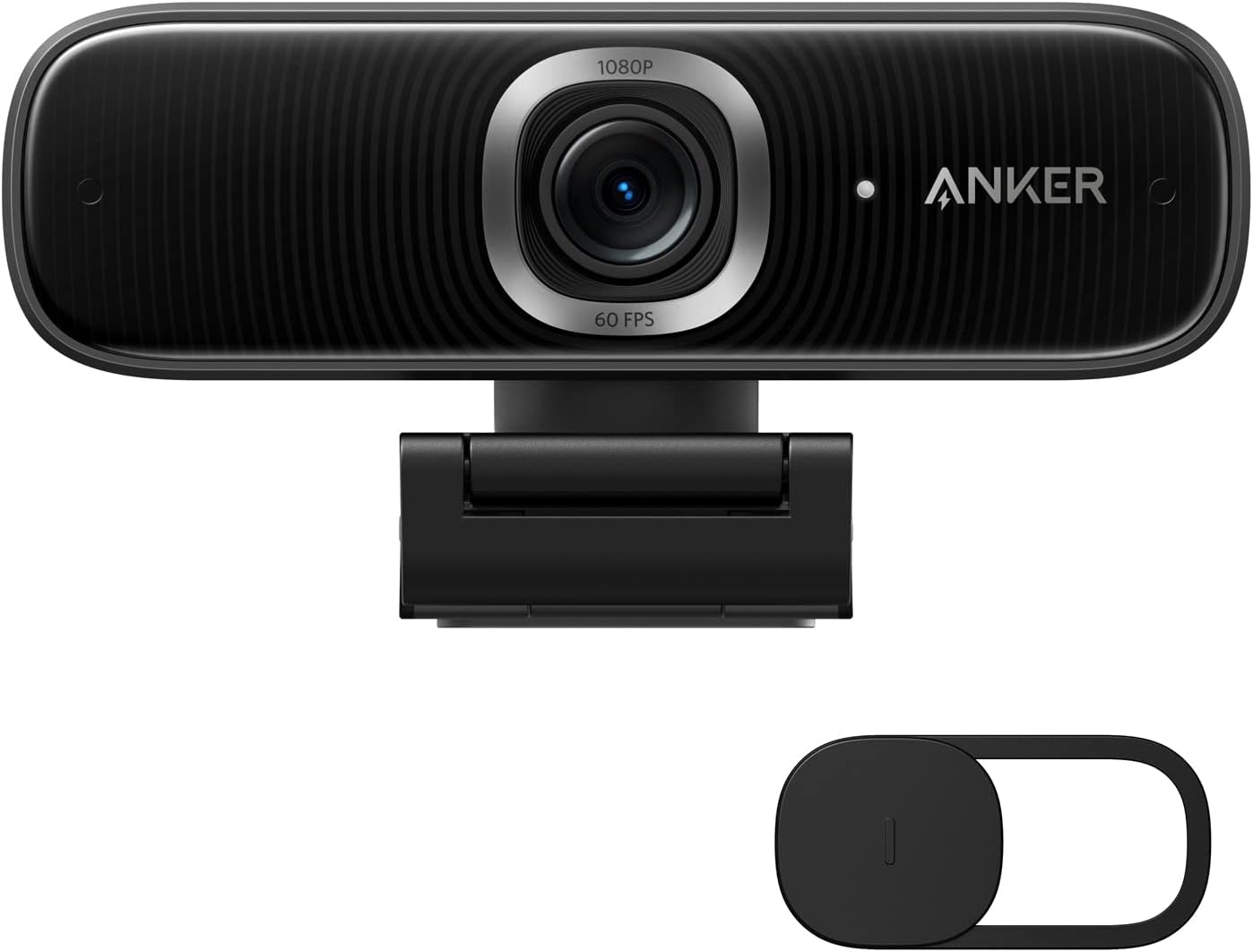
The Anker PowerConf C300 is the value argument in our webcam guide — a 1080p/60fps camera that delivers adjustable wide-angle field of view, software-based AI auto-framing, and dual stereo microphones with noise canceling, all at a price where most competitors offer a fixed lens, a single mic, and no AI features. At its budget price, the C300 packs a specification set that cameras costing far more can’t fully replicate on the feature side. Its trade-off is equally clear: image quality is competent without being exceptional, and the AnkerWork software — while functional — is not the deep, DSLR-style control experience that Elgato Camera Hub provides. For buyers who want a capable all-round webcam at a budget price, particularly one that supports a wider room view and keeps them framed automatically as they move, the C300 earns its position. For buyers who prioritize the best possible image quality at 1080p and will sacrifice features to get it, the Elgato Facecam MK.2 or a step up to 4K alternatives is the better path.
How We Scored It
Category Deep-Dives
Image Quality
6.5 / 10 30% weightingThe C300 delivers 1080p at up to 60fps — a smooth output that distinguishes it from the 30fps alternatives common at its price tier. Autofocus is reliable and handles the typical range of desk-to-camera distances without hunting. Color reproduction is accurate under good to moderate lighting, and the camera manages exposure transitions — shifting between window light and interior illumination — reasonably well through its automatic exposure system.
The image quality ceiling is the C300’s limiting factor in our scoring. Unlike the Elgato Facecam MK.2 at a comparable price, the C300 does not carry a named premium sensor such as the Sony Starvis family. In direct comparison, the C300’s output shows the difference: low-light performance is noticeably softer, with more digital noise visible in challenging lighting, and the overall image lacks the crispness and color fidelity of cameras built around back-illuminated sensor technology. For bright, well-lit home office setups, this gap is small. For home offices with limited natural light or inconsistent artificial lighting, the sensor limitation becomes a real differentiator.
The adjustable FOV system affects image quality in a specific way worth understanding. When the camera is set to its widest setting (115°), the full sensor area is used, but the resulting wide-angle introduces noticeable barrel distortion at the frame edges — a characteristic of ultra-wide-angle optics. Narrower FOV settings (78° or 90°) reduce distortion and produce a more natural image for face-to-face call framing. AI auto-framing compounds this: when engaged, the feature performs a digital crop of the wider field, which softens the effective resolution of the output relative to a camera whose full sensor is dedicated to the primary framing window.
Bottom line on image quality: Competent 1080p/60fps with reliable autofocus. Image quality is the C300’s weakest scoring category — the absence of a premium back-illuminated sensor shows against Sony Starvis competitors in low-light conditions and fine-detail rendering. Adequate for calls in good lighting; limited for content creation or challenging lighting environments.
Audio Performance
7.0 / 10 25% weightingThe C300’s two built-in microphones (dual stereo) with active noise cancellation represent one of its stronger audio features at the price. At this budget price, most competing webcams include a single microphone — often a small electret element positioned wherever packaging constraints allow, with no noise treatment. The C300’s paired mics and active noise cancellation focus on your voice while suppressing background noise, delivering noticeably better voice isolation than single-mic alternatives at the same price.
In practice, the noise canceling performs well against common background interference — HVAC systems, keyboard clicks, distant ambient noise — without the metallic artifacts or voice degradation that aggressive AI noise canceling algorithms often introduce. Voice reproduction is natural and clear for call participants on the receiving end. The microphone array is not a substitute for a dedicated USB desk microphone; voices at distance or in very reverberant rooms will still require careful positioning. But as a self-contained webcam microphone solution for a home office call setup, the C300’s audio is meaningfully above the category average.
The 7.0 audio score reflects performance that is good rather than exceptional. The best-integrated webcam microphone systems in our guide — including the Logitech MX Brio 705’s dual AI beamforming microphones — deliver a step up in voice clarity and room noise rejection. The C300’s microphones perform better than their price implies, which contributes substantially to its value case, without reaching the level of the guide’s highest-ranked audio implementations.
Bottom line on audio performance: Three omnidirectional mics with noise canceling deliver above-average call audio for the price — a meaningful differentiator against single-mic competitors at this price. Voice isolation and clarity are solid for standard home office call conditions. The 7.0 score reflects performance that outperforms its price tier without matching the best microphone implementations in the broader webcam category.
Usability & Features
7.5 / 10 20% weightingThe C300’s feature set punches well above its price. The adjustable field of view — selectable between 78°, 90°, and 115° — is available via AnkerWork software and addresses a real practical problem: different rooms, desk configurations, and call types benefit from different FOV settings. A narrow 78° keeps the background clean and the face large in frame; a wide 115° captures desk items, a whiteboard, or colleagues at the same workstation. Very few webcams in the guide offer FOV switching at any price. The C300’s implementation works reliably and the switch takes effect immediately without requiring camera reconnection.
AI auto-framing uses software-based face detection to digitally center the subject within the captured frame. When you lean away from the camera center, shift your position, or stand to reach something on the desk, the auto-framing system adjusts the digital crop to keep your face centered in frame. This is less capable than the motorized pan-and-tilt gimbals found in the Obsbot Meet 2 or Insta360 Link 2C — those cameras physically move the lens to follow the subject, covering a much larger spatial range. The C300’s software-based approach works within the original FOV captured, meaning subjects who move significantly off-camera will exit the frame rather than being tracked to the boundary and beyond. Within those constraints, the feature is genuinely useful for calls where you want to appear centered without sitting rigidly still.
AnkerWork software handles FOV selection, AI auto-framing toggle, and basic image adjustments including brightness, contrast, and color temperature. The interface is clean and functional. It does not reach the depth of Elgato Camera Hub — there is no manual shutter speed, no gain control, no LUT or scene preset system. For most home office users whose primary use case is video calls rather than content production, the available controls cover the relevant adjustments adequately. The C300 is plug-and-play as a standard UVC device; AnkerWork is optional enhancement rather than a requirement for core functionality.
Bottom line on usability and features: Adjustable FOV and AI auto-framing are genuine differentiators at the C300’s price point — both work reliably and address real call-quality scenarios. AnkerWork is functional without matching the depth of premium webcam software. The 7.5 score reflects a feature set that significantly outperforms the budget webcam norm.
Value
8.5 / 10 15% weightingValue is the C300’s strongest category and its most compelling argument. At the budget end of our webcam guide, the C300 provides 1080p at 60fps, adjustable FOV with three selectable angles, AI auto-framing, and dual stereo microphones with noise canceling. No other webcam at this price tier replicates that full feature combination. Cameras at the same price typically offer one or two of those features; the C300 offers all four.
The value case extends across different buyer types. For the budget-conscious home office worker who needs a reliable call camera with good audio, the C300 delivers a self-contained solution that eliminates the need for a separate microphone purchase. For users who switch between close-up calls and broader room capture, the FOV switching is a practical feature they would otherwise pay significantly more to access. For users who want the convenience of staying centered on screen without sitting at rigid attention, the AI auto-framing addresses that without the premium of a motorized-gimbal webcam like the Obsbot Meet 2.
The 8.5 value score is the highest in this review and the highest of any webcam in the guide’s budget tier. It reflects a genuine price-to-feature ratio that outperforms any reasonable expectation of what a budget webcam should deliver in today’s market. The score is held from a perfect 10 by the image quality ceiling, which is the one area where the C300’s budget constraint genuinely shows against midrange alternatives.
Bottom line on value: The strongest value proposition in our webcam guide’s budget tier. At its budget price, the combination of 60fps, adjustable FOV, AI auto-framing, and dual-mic audio is not matched by any competing webcam at the same price. The 8.5 score reflects exceptional feature delivery per dollar, held back only by an image quality ceiling that the price honestly implies.
Physical Design
6.5 / 10 10% weightingThe C300 uses a compact plastic housing in a rounded, minimal design that is visually unobtrusive sitting on top of a monitor. Build quality is consistent with the budget-tier webcam standard — functional and durable in normal use, without the premium material feel of metal-accented alternatives like the Elgato Facecam line or Logitech’s MX Brio range. There is no perceptible structural weakness in the housing, and the monitor clip holds position reliably on standard flat-panel displays. USB-C connection is integrated cleanly into the enclosure.
The privacy solution is a physical lens cap that slides over the lens when not in use. This is the most basic form of physical privacy available: it works, it provides complete lens coverage, and it requires no software or hardware action beyond physically placing and removing the cap. The downsides are practical: the cap is small and easy to misplace, requires a deliberate physical action that a built-in shutter does not, and cannot be opened from across the room before a call. Competitors including the Logitech MX Brio 705 include integrated privacy shutters that slide or rotate into place on the camera body and cannot be lost. For users who prioritize consistent, low-friction privacy management, the lens cap is the C300’s most notable physical design limitation.
The 6.5 physical design score reflects a camera that fulfills its form-factor requirements without differentiating on materials, build feel, or privacy integration. The compact footprint and clean aesthetic are positives; the plastic construction and cap-based privacy are appropriate for the price tier and no lower than expected. Buyers for whom physical design is a priority should expect to invest in the midrange or premium tier of the webcam category.
Bottom line on physical design: Compact and functional — appropriate build quality for the budget tier, without the premium materials of more expensive alternatives. Physical lens cap for privacy is the main ergonomic limitation relative to integrated shutters. The 6.5 score accurately represents a design that is honest about its price point without exceeding it.
About the Manufacturer
ER
Anker is a consumer electronics brand based in Shenzhen with significant US operations, best known for USB charging products and accessories. The company expanded from charging into hub and docking station products, then into workplace peripherals including webcams and speakerphones under the AnkerWork sub-brand. The PowerConf C300 is one of Anker’s primary webcam offerings, positioned at the accessible end of the market where Anker’s core competitive advantage — strong feature-to-price ratios backed by reliable warranty support — is most effective.
AnkerWork products are supported by the same warranty infrastructure as Anker’s charging products, with US-based support available via email and chat. The AnkerWork software is actively maintained, with feature additions including AI auto-framing enhancements delivered through application updates after product launch. Anker has a well-established reputation for claim processing without excessive friction, which is a meaningful consideration for products used daily in a professional context. AnkerWork products are available through Amazon, the Anker direct store, and major electronics retailers.