Archer BE3600
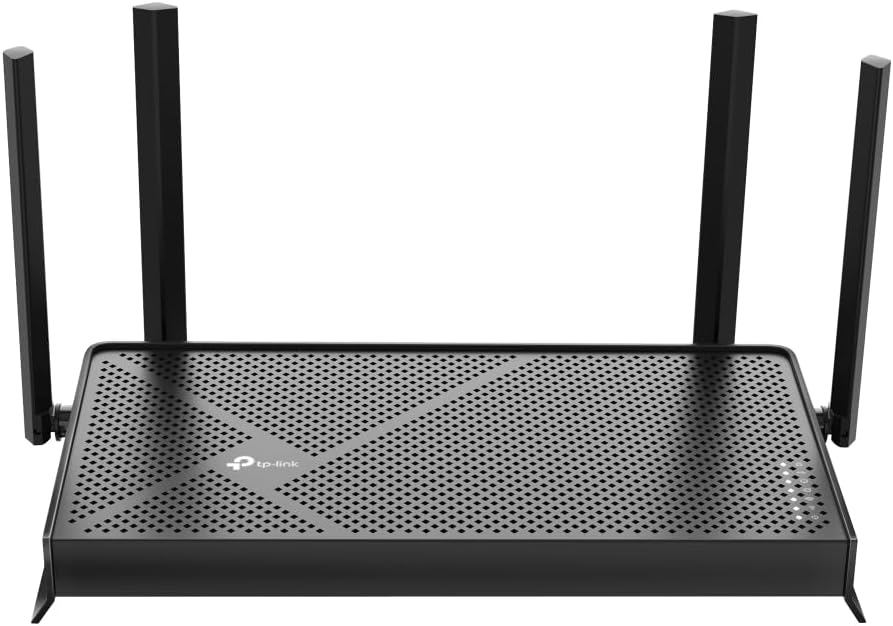
The TP-Link Archer BE3600 — sold on Amazon as the identical Archer BE230 — is our Best Budget pick and the least expensive way into Wi-Fi 7 in this guide. For roughly the price of a nice dinner out you get MLO, 4K-QAM, two 2.5G ports, USB 3.0, and even a WireGuard VPN server: a feature list that didn’t exist at this tier a year ago. The score is honest about what the money doesn’t buy — no 6 GHz band, a 2×2 radio, modest coverage, and TP-Link’s usual security paywall and U.S. support question. For an apartment or a single wired home office on a tight budget, those trades are exactly the right ones to make.
How We Scored It
Category Deep-Dives
Coverage & Range
6.0 / 10 20% weightingThe BE3600’s four external beamforming antennas are rated for roughly 2,000 sq ft — apartment and small-home territory — and the dual-band, 2×2 radio design means there is less raw signal budget here than anywhere else in this guide. In its intended space the coverage is perfectly serviceable, and the strong 2.4 GHz band reaches the far corners that 5 GHz won’t; but walls, floors, and distance erode this router’s signal faster than the bigger antennas and extra streams above it.
EasyMesh support means a compatible TP-Link extender or second router can patch a dead corner later, which at this price tier is a genuinely useful escape hatch — though as with every TP-Link in this guide, extending the network means buying deeper into the brand whose context we cover below.
Bottom line on coverage: Sized for the apartment buyer it was built for, and no more. The lowest coverage score in our standalone tier — if your space pushes past 2,000 sq ft or has thick walls, spend up.
Reliability & Stability
7.5 / 10 20% weightingTwo different questions live in this score, and they deserve to be separated. The first — does the hardware run well? — has a clear answer: yes. The quad-core 2.0 GHz processor is more compute than routers at this price have any habit of shipping, and it shows in daily use: the BE3600 handles a small household’s device load without strain, runs cool, and owner-reported stability since its mid-2024 release has been strong. Firmware updates arrive regularly through the Tether app.
The second question is the one our framework folds into this category: what does the next five years of support look like? The March 2026 FCC order added foreign-made routers to its Covered List, restricting newly certified models from every overseas brand — but TP-Link also faces company-specific scrutiny the others here don’t. In October 2025 the U.S. Commerce Department proposed blocking new sales of TP-Link products on national-security grounds, citing the company’s China ties; that proposal was still pending as of mid-2026, and the FTC opened a separate inquiry that December. None of this affects the router you’d buy today — it is authorized, sold, and fully functional — but it creates real uncertainty about the firmware-update and support horizon a multi-year purchase depends on. TP-Link disputes the allegations (see our 2026 import-rule note); we don’t exclude the brand over an unresolved proceeding, but we do apply an explicit long-term-support deduction rather than pretend the question doesn’t exist.
Bottom line on reliability: Surprisingly solid hardware for the money; the same honest deduction for the regulatory cloud as its bigger siblings. At this price the bet is the smallest in the lineup — which is part of this router’s appeal.
Speed & Throughput
6.5 / 10 15% weightingThe BE3600 is a dual-band 2×2 Wi-Fi 7 router: up to 688 Mbps on 2.4 GHz and 2,882 Mbps on 5 GHz. The Wi-Fi 7 features it carries — 4K-QAM and MLO across its two bands — are real and useful, improving link efficiency and stability for Wi-Fi 7 clients. What it lacks is headroom: there is no 6 GHz band, no 320 MHz channels, and only two spatial streams, so peak wireless throughput lands closer to a good Wi-Fi 6 router than to the tri-band Wi-Fi 7 units above it.
The framing that matters: real-world speeds comfortably exceed a gigabit near the router, which means the BE3600 outruns the 300–1,000 Mbps internet plans its buyers overwhelmingly have. The 2.5G WAN port even leaves room for a plan upgrade. But heavy local traffic — multi-gig NAS transfers, several simultaneous Wi-Fi 7 clients pushing hard — will find the ceiling quickly. That is the trade the price tag represents.
Bottom line on speed: Faster than the broadband plans it will realistically front, with genuine Wi-Fi 7 efficiency gains — but the lowest wireless ceiling in this guide. Budget-appropriate, not future-proof.
Call & VPN Performance
7.5 / 10 15% weightingFor the single-desk home office this router targets, the call story is better than the price suggests. MLO lets a Wi-Fi 7 laptop hold both bands at once — valuable in crowded apartment spectrum, where a 2.4 GHz fallback that doesn’t drop the call is worth more than raw speed — and TP-Link’s QoS can prioritize the work machine. Best of all, the 2.5G LAN port makes the definitive call-quality move, a wired desk, available at a tier where competitors ship gigabit-only.
The VPN inclusion is remarkable for the class: OpenVPN and WireGuard server support, the same modern kit as the Archer BE800 five ranks up, plus VPN client modes for commercial providers. The 2.0 GHz quad-core won’t sustain the encrypted throughput of the GL.iNet Flint 2 — the budget-adjacent VPN specialist remains the pick if router-level tunneling is your workflow’s center — but for a remote worker who occasionally needs a tunnel home, it simply works.
Bottom line on calls & VPN: MLO stability, a 2.5G wired desk, and WireGuard — at the bottom of the price list. The score reflects modest CPU headroom, not missing features.
Security & Management
7.0 / 10 15% weightingTP-Link’s HomeShield sits between the free-everything ASUS model and the subscription-everything eero model. The free tier covers a real baseline: WPA3, network security scans, basic parental controls, guest network, and a private IoT network for isolating smart-home devices from the work machine. The HomeShield Pro paid tier gates the advanced layer — real-time intrusion prevention, malicious-content filtering, comprehensive parental controls, and detailed reporting. Our framework’s subscription penalty applies to the gated portion, which is why this lands at 7.0 alongside eero and NETGEAR rather than with ASUS and GL.iNet.
Management is the Tether app plus a real web UI including the VPN server configuration — depth that simply doesn’t exist elsewhere at this price. The usual Archer caveats apply (limited VLAN and radio granularity versus ASUS), but the budget buyer gives up little here.
One more consideration belongs in a security column for this brand: the regulatory scrutiny described in our reliability section stems from data-security and supply-chain concerns raised by U.S. agencies. No public finding has established a deliberate, manufacturer-built backdoor in TP-Link consumer routers, and the products remain authorized for sale — but TP-Link devices have been prominent targets of real-world exploitation, most notably the China-linked “Flax Typhoon” botnet of compromised routers that the FBI disrupted in 2024, and the company’s vulnerability-response track record is part of what U.S. agencies cite. A security-weighted buyer deciding between this and an unaffected brand at similar capability should weigh that context alongside the feature list.
Bottom line on security: A useful free tier and a real web UI, with the best protections paywalled behind HomeShield Pro — and brand-level context worth reading before you buy.
Connectivity & Value
9.0 / 10 15% weightingThis is where the BE3600 earns its pick-strip badge. The back panel gives you a 2.5G WAN port, a 2.5G LAN port, and three gigabit ports — meaning both the internet line and the work desk get multi-gig at a price where the competition is all-gigabit, plus USB 3.0 for shared storage. One multi-gig LAN port is exactly enough for the single-desk office this router is sized for; it is the cheapest path in this entire guide to the wired-desk setup we recommend on every page.
On value, the arithmetic is hard to argue with: Wi-Fi 7 efficiency features, dual 2.5G, WireGuard, and a real web UI in the least expensive router we ranked. The two recurring TP-Link deductions apply — HomeShield Pro’s subscription if you want the full security layer, and the support-horizon question — but at this outlay the exposure is proportionally the smallest in the lineup. A note for Amazon shoppers: the identical router is listed there as the Archer BE230; same hardware, different retail name.
Bottom line on connectivity & value: Multi-gig in, multi-gig to the desk, and a feature list that embarrasses its price tier. The best pure cost-per-capability ratio in the guide — within the limits the other five categories describe.
About the Manufacturer
Link
TP-Link is the world’s largest consumer networking vendor by volume, and its Deco mesh line and Archer router family have built their position on aggressive price-to-performance — frequently delivering the newest Wi-Fi generation’s features at prices a tier below ASUS, NETGEAR, and eero. The Archer BE3600, launched in mid-2024 (and sold on Amazon as the identical Archer BE230), pushed Wi-Fi 7 below the hundred-dollar line for the first time.
The company’s U.S. position carries unusual context. U.S. agencies have scrutinized TP-Link’s China ties on national-security grounds since 2024, and that scrutiny has intensified rather than receded: in October 2025 the Commerce Department proposed blocking new sales of TP-Link products (a proposal still pending as of mid-2026), and the FTC opened a separate inquiry in December 2025. The March 2026 FCC Covered-List order on newly certified foreign-made routers does not affect models already authorized — including everything TP-Link currently sells. TP-Link disputes the allegations, says it has separated from the China-based TP-LINK Technologies Co., and has reorganized its U.S. operations as California-based TP-Link Systems. We cover the full situation in our import-rule note and reflect it in our scoring rather than excluding the brand: the hardware earns its place in these rankings on merit.
For home office buyers, the practical summary: TP-Link offers the strongest hardware value in Wi-Fi 7, with a support-horizon question the other brands here don’t carry. Buy on merit, with eyes open.