Signature M650
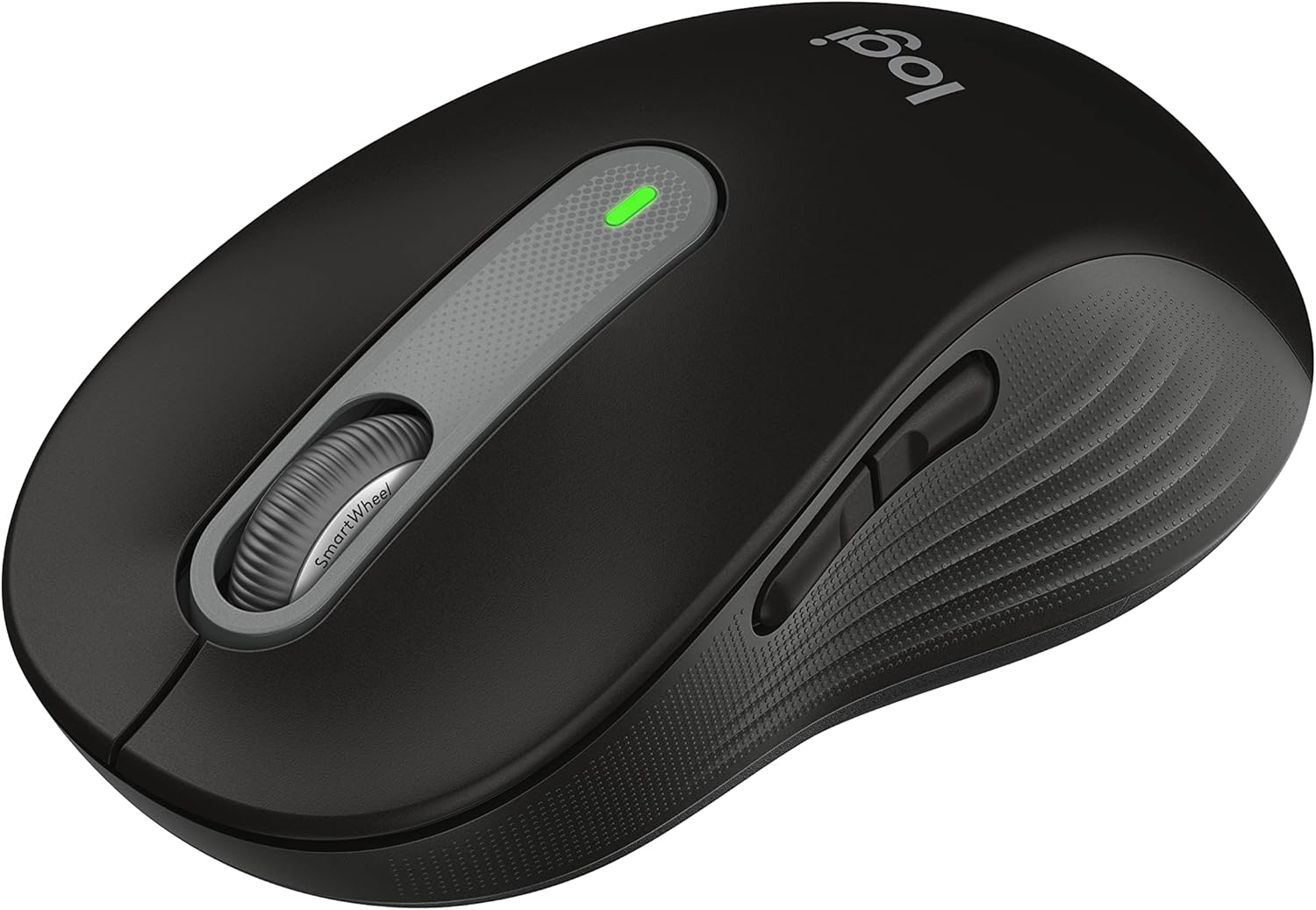
The Logitech Signature M650 is the value all-rounder of our guide — the mouse to buy when you want a comfortable, quiet, reliable wireless mouse and do not need premium productivity features. At a budget price it delivers SilentTouch quiet clicks, the SmartWheel for both precise and fast scrolling, customizable side buttons, and multi-device Bolt-and-Bluetooth wireless, in a contoured shape that comes in multiple sizes (including a large “L” version). It gives up the Darkfield any-surface sensor, MagSpeed free-spin wheel, and dedicated thumbwheel of the MX line — but for everyday home office work, it covers the essentials at a fraction of the price.
How We Scored It
Category Deep-Dives
Ergonomics & Comfort
7.0 / 10 30% weightingThe Signature M650 is a conventional contoured mouse with a soft thumb area and rubber side grips, and it is comfortable for everyday use across a normal working day. Its most useful ergonomic trait is that Logitech offers it in multiple sizes — a standard small/medium body and a larger M650 L for big hands — plus left-handed variants in the lineup, so most users can find a version that fits. For a buyer who wants a no-fuss, comfortable everyday mouse, it gets the basics right.
What it does not provide is the sculpted, hand-filling support of the premium MX Master shape. The M650 is a moderate, mainstream contour rather than an ergonomic statement — comfortable, but without the high arch, pronounced thumb scoop, and overall palm support that make the MX Master so well-suited to all-day, hours-at-a-time use. For lighter or general use it is perfectly comfortable; for someone at the desk eight-plus hours who wants maximum support, the MX Master 3S is a meaningful step up, and anyone with actual wrist or forearm strain should look at the vertical or trackball options instead.
Bottom line on ergonomics: A comfortable, well-sized mainstream shape — available in multiple sizes including a large variant — that covers everyday use well. The 7.0 reflects solid general comfort that stops short of the sculpted, all-day support of the premium MX Master shape.
Tracking & Sensor
6.5 / 10 20% weightingThe M650 uses a standard optical sensor rated up to 4,000 DPI (adjustable in Logi Options+), which is more than sufficient for any office task — most users settle well under 2,000 DPI. Tracking is accurate and consistent for documents, browsing, email, and multi-monitor cursor travel on a normal desk or mousepad.
The limitation, shared with most non-premium mice, is that this is a conventional optical sensor — not Logitech’s Darkfield — so it will not track on glass or high-gloss surfaces the way the MX Master and MX Anywhere models do. On a standard surface it is reliable; on a glass desk it will struggle. For the price this is entirely expected, and for the majority of users with a normal work surface it is a non-issue.
Bottom line on tracking: Accurate, dependable optical tracking for everyday office use, with plenty of DPI headroom. The 6.5 reflects a standard sensor without the glass/any-surface ability of the premium Darkfield models.
Connectivity & Multi-Device
6.5 / 10 20% weightingThe M650 connects via the encrypted Logi Bolt receiver or Bluetooth, and runs on a single AA battery rated up to two years — a genuine convenience that means no charging and a quick swap when it finally runs down. For a value mouse, that maintenance-free longevity is a real plus.
Where it trails the premium models is multi-device flexibility. The M650 pairs via Bolt or Bluetooth, but it does not offer the polished three-device Easy-Switch cycling and Logitech Flow cross-computer cursor/clipboard sharing that the MX line provides. For a single-computer setup this is irrelevant, but for someone who actively switches between machines, the MX mice are meaningfully more convenient. As with the rest of the line, the USB-A Bolt receiver is a minor consideration on USB-C-only laptops.
Bottom line on connectivity: Reliable Bolt-or-Bluetooth wireless with a no-charge, up-to-24-month AA battery. The 6.5 reflects more limited multi-device switching than the MX line — fine for a single-machine setup, less so for active machine-hopping.
Buttons & Scrolling
7.0 / 10 15% weightingThe M650 punches above its price in this category, largely thanks to two features. Its SmartWheel automatically shifts between precise line-by-line scrolling for short, careful movements and a faster glide for long documents — not the fully free-spinning MagSpeed flywheel of the MX Master, but a genuinely useful step above a basic ratcheted wheel. And its SilentTouch switches cut click noise by roughly 90%, making it quiet and call-friendly out of the box — a feature that, notably, many pricier mice (including the MX Vertical and Razer Pro Click V2) do not include.
The control set is otherwise modest: five buttons including two customizable side buttons, remappable in Logi Options+. There is no dedicated horizontal thumbwheel and no free-spin mode, so power users who lean on those will miss them. But for everyday navigation with quiet clicks and smart scrolling, the M650 covers the essentials better than its price suggests.
Bottom line on buttons & scrolling: SilentTouch quiet clicks and the SmartWheel are genuine value-tier highlights — quiet and call-friendly with smarter-than-basic scrolling. The 7.0 reflects a modest five-button set without the MX line’s free-spin wheel or thumbwheel.
Value
8.0 / 10 10% weightingThe M650 is a strong value for a comfortable, quiet, multi-device wireless mouse from a major brand with full software support. For the buyer who simply wants a reliable everyday mouse — and who does not need a Darkfield sensor, MagSpeed scrolling, or sculpted all-day ergonomics — it covers the essentials, including the call-friendly quiet clicks that many people most appreciate, at roughly a third of the price of the premium models.
It is not the cheapest option — Logitech’s own Pebble 2 and basic wireless mice cost less — and the value isn’t a perfect 10 because a few dollars more moves you toward more capable mice, while a few dollars less gets a simpler one. But as the default “good mouse for most people at a fair price,” the M650 is hard to argue with, and it is the mouse we would point a general user to before they spend up to the MX line.
Bottom line on value: Strong value as the comfortable, quiet, multi-device everyday mouse for most people. The 8.0 reflects an excellent price-to-essentials ratio, with cheaper options below it and more capable ones a small step above.
Software & Customizability
7.5 / 10 5% weightingThe M650 is supported in Logi Options+, the same polished software as the premium MX line, which lets you remap the buttons, adjust DPI, and tune the SmartWheel behavior, with per-application profiles available. Getting Options+ support on a budget mouse is a real advantage over generic budget mice that ship with crude or no software.
It scores a bit below the MX models here simply because there is less to configure: with five buttons and no advanced hardware like a thumbwheel or haptics, the depth that Options+ can reach on this mouse is naturally shallower than on an MX Master. The software itself is the same quality; the M650 just has fewer capabilities for it to expose. As always, Options+ must be installed to access the customization.
Bottom line on software: Full Logi Options+ support — per-app profiles, button remapping, SmartWheel tuning — a clear step up from generic budget mice. The 7.5 reflects fewer hardware features for the software to configure than the MX line offers.
About the Manufacturer
tech
Logitech is a Swiss-American company founded in 1981 and one of the longest-established names in computer peripherals. Its Signature line sits in the mainstream middle of its mouse range — above basic entry mice, below the premium MX series — and is aimed at everyday users who want quiet operation and solid features without premium pricing.
The Signature M650, released in 2022, was built around two mainstream priorities: SilentTouch quiet clicks and the SmartWheel, in a comfortable contoured body offered in multiple sizes and handedness options. It is supported by the same Logi Options+ software and Logi Bolt receiver standard as the rest of Logitech’s modern lineup.
Logitech’s scale gives buyers broad availability, strong warranty support, and an ecosystem of interoperable peripherals — useful if you want an affordable mouse that still works cleanly alongside a Logitech keyboard and shares the same receiver standard.